 Enu
EnuWant to check Bahamas work permit status fast? This guide shows you the official steps, tools, and backups using the Bahamas Immigration Department’s eServices portal. You’ll learn how to track online with your Acceptance Slip, what status means, offline options like email and phone, plus tips to avoid delays. In 2026, processing still takes 8 to 12 weeks for most permits, so stay patient but proactive.
Always check the official Bahamas Immigration site for the latest info, as rules can change. We pull from their eServices portal and FAQ pages to keep this accurate. Whether you’re a new applicant or renewing, these steps help you plan your move to The Bahamas without guesswork.
Quick Answer: Read This First to Check Bahamas Work Permit Status
- Use the official eServices Online Portal at immigration.
- Grab your Acceptance Slip for the Application ID, name, and DOB.
- Enter details in Application Tracking to see “received,” “processing,” or “approved.”
- Wait 8 to 12 weeks before chasing updates on annual permits.
- Email immigration@bahamas.gov.bs with ID and name if portal fails.
- Call (242) 225-5337 or (242) 322-7530-5 for phone help.
- After 12 weeks, dial Consultation Unit at (242) 604-0241.
- Visit in person at Nassau offices if local.
What Is a Bahamas Work Permit and Why Track Its Status?
Bahamas work permits let foreign workers stay and earn legally. Employers apply through the Department of Immigration. You get an Acceptance Slip right after submission. This slip holds your tracking gold.
Track status to know if it’s approved, pending, or needs fixes. Delays happen from missing docs or high volume. Checking keeps you ahead, so you book flights or start work on time. No more blind waiting.
In 2026, most permits process in 8 to 12 weeks if complete. Early checks spot issues fast. Think of it as your job’s green light.
Types of Bahamas Work Permits
- Short Term Work Permit: Up to 90 days for temp gigs; track to confirm quick turnaround.
- Annual Work Permit (Work Visa): Standard one-year permit; status checks vital after 8 weeks.
- Work Permit Renewal: Extends current permit; use same portal for updates.
- Government Contract Worker: For public projects; employer tracks but you can verify.
Each type shows in the eServices portal under Residence & Employment.
Key Steps and Tools for Checking Bahamas Work Permit Status
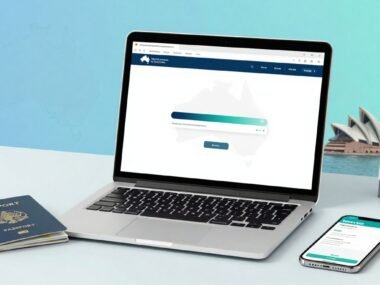
- Visit immigrationgovbs and click eServices Online Portal.
- Select Application Tracking; input Acceptance Slip details.
- Understand statuses: “Received” means logged; “Processing” is review; “Approved” lets you collect.
- Backup: Email with Application ID, full name, permit type.
- Phone lines handle queries; note wait times.
- In-person at Enrollment & Customer Service Section in Nassau.
- Checklist app ready? Use passport number if asked.
Step-by-Step: How to Check Your Bahamas Work Permit Status Online
Follow these steps on the official portal. It beats waiting on hold.
What to Do Before Checking Online
- Locate your Acceptance Slip from employer or email.
- Confirm Application ID, full name, DOB match exactly.
- Use Chrome or Firefox; clear cache if issues.
- Note permit type (new, renewal, short-term).
- Have stable internet and employer contact handy.
- Go to www.immigration.gov.bs.
- Click “eServices Online Portal” or “Online Portal.”
- Choose “Application Tracking” from the menu.
- Enter key info: Application ID, applicant’s name, DOB from slip.
- Hit submit; view status like “under review” or “approved.”
- Print or screenshot results for records.
- If error, double-check spelling and try later.
Pitfalls? Wrong ID gives “no record.” Portal downtime? Switch to email. Always log employer details.
Offline Options: Email and Phone for Work Permit Status Updates
Email beats crowds. Send to immigration@bahamasgovbs. Include Application ID, full name, permit type (e.g., “Annual Work Permit Renewal”), phone, and email. Expect reply in days. Pros: written record. Cons: slower than portal.
Phone the Call Centre at (242) 225-5337 or (242) 322-7530-5. Have slip ready. Lines busy midday. After 8-12 weeks, call Consultation Unit (242) 604-0241 for annual permits. Pros: instant answers. Cons: hold times, no record.
Visit Mount Royal House in Nassau or local offices. Best for complex cases.
Common Mistakes When Trying to Check Bahamas Work Permit Status
- Wrong portal: Stick to immigrationgovbs, not visa sites.
- Fix: Bookmark official link.
- Typos in ID or name: Causes “no record.”
- Fix: Copy-paste from slip.
- Checking too early: Before 8 weeks wastes time.
- Fix: Mark calendar.
- Ignoring employer: They hold slip copy.
- Fix: Ask them first.
- Wrong permit type selected.
- Fix: Match application exactly.
- No backups ready: Portal down?
- Fix: Prep email draft.
- Forgetting passport number.
- Fix: Keep docs together.
Pros and Cons of Checking Bahamas Work Permit Status Online
| Aspect | Pros | Cons |
|---|---|---|
| Speed | Instant results, 24/7 access | Portal glitches possible |
| Cost | Free, no travel | Needs exact slip details |
| Ease | Simple form entry | No live chat help |
| Record | Screenshot proof | Temporary downtime |
| Privacy | Self-service | Public Wi-Fi risks data |
Online wins for quick peeks, but have phone ready.
Tips to Speed Up Your Bahamas Work Permit Approval
- Submit complete docs day one; gaps slow reviews.
- Track weekly after 4 weeks.
- Respond to requests in 24 hours.
- Use employer as point person.
- Confirm all names match passport.
- Apply early, outside peak seasons.
- Keep originals safe for pickup.
- Email updates if over 12 weeks.
- Choose short-term if fits your need.
- Follow up politely via call.
FAQs About Checking Bahamas Work Permit Status
How long does it take to process a Bahamas work permit?
8 to 12 weeks for annual ones if complete. Short-term faster.
What if the portal says “no record found”?
Check ID spelling; email immigration@bahamas.gov.bs with details.
What do status messages mean?
“Received”: Logged. “Processing”: Under review. “Approved”: Collect permit.
Can I track a renewal the same way?
Yes, same portal with new slip ID.
Portal down? What now?
Email or call (242) 225-5337.
Do I need the slip for email checks?
No, but include ID and name.
When to visit in person?
After phone fails or for pickup.
Short-term permit tracking different?
Same steps, quicker updates usually.
Conclusion
To check Bahamas work permit status, start with the eServices portal using your Acceptance Slip, then email or call if needed. You’ve got steps, pitfalls, and tips to stay on track in 2026.
Bookmark immigrationgovbs and act now. Stuck? Contact them directly. Your permit awaits.


 Enu
Enu