 Enu
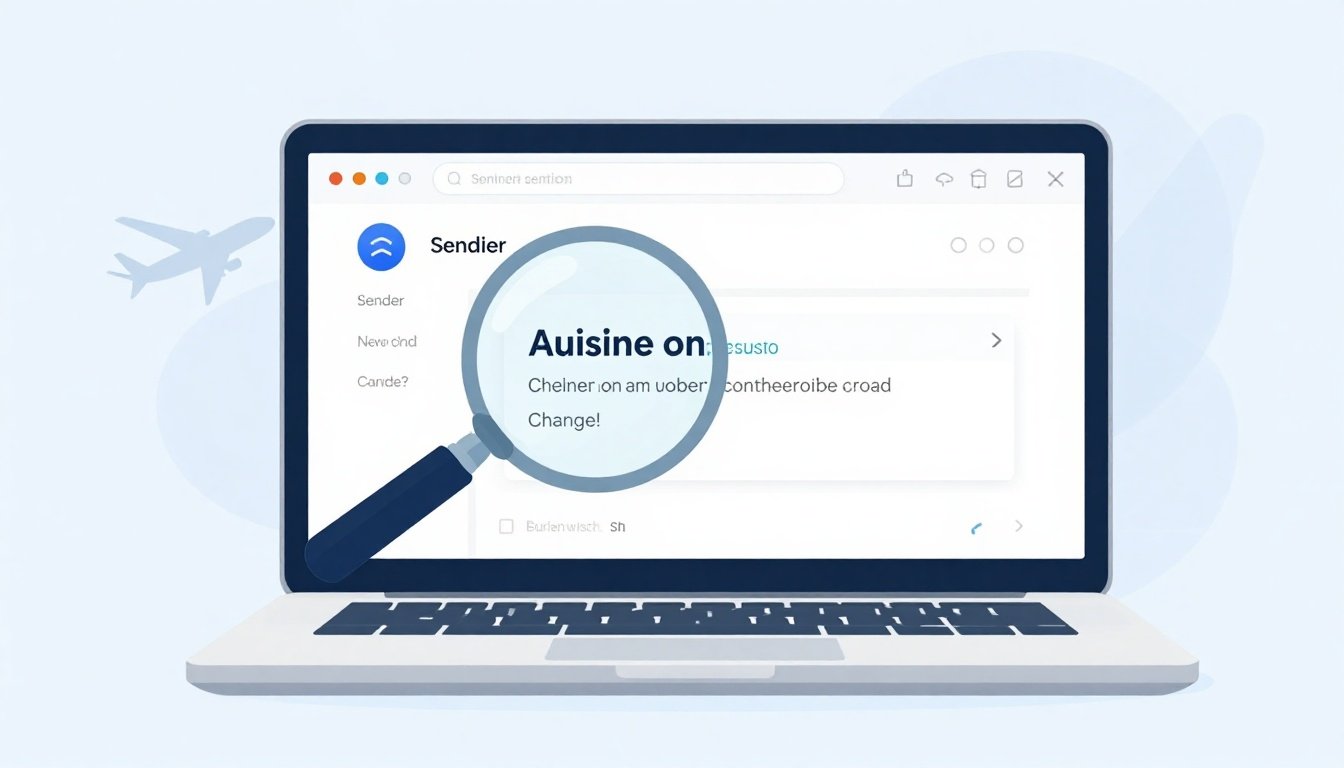
EnuAirline Schedule Change Email Looks Like Spam, How to Verify It Without Clicking Anything Risky is a common problem, because scammers copy real airline wording, logos, and even your flight details. This guide shows how to confirm whether a schedule-change email is real while avoiding risky clicks, fake phone numbers, and look-alike sites.
You’ll get a practical checklist, fast verification steps, and simple ways to confirm changes through official channels. Always confirm prices and policies on the official site.
Quick Answer (Read This First)
- Don’t use links or phone numbers inside the email, treat them as untrusted until proven.
- Check the full sender address (not just the display name) for a real airline domain.
- Look for common “pressure” language and threats that real airlines rarely use.
- View full email headers and check whether SPF, DKIM, and DMARC show “pass.”
- Type the airline’s website yourself (or use the official airline app) and check your trip there.
- Compare the flight number and times against your original confirmation email or receipt.
- If anything feels off, report the message as phishing and verify only via official contact pages.
What Is Airline Schedule Change Email Looks Like Spam and What Does It Do?
For this topic, the “product” is the official airline account experience (the airline’s website and its mobile app). That’s where the airline’s reservation system shows the current schedule, any re-accommodation, and what options you actually have.
A real schedule change will almost always appear in your trips list when you sign in, even if the email never arrived. The email is just a notification, your account is the source of truth.
This matters because many modern travel scams push you to act through the email itself. Current US scam patterns often try to get you to call a fake “support” number or pay a “rebooking fee” that isn’t real.
Key Features of Airline Schedule Change Email Looks Like Spam
- Sender domain checks (spotting look-alike domains and “Reply-To” tricks).
- Visual red-flag scan (subject line pressure words, generic greetings, mismatched branding).
- Safe link preview (hover-only checks, no taps, no opens).
- Email header verification (SPF, DKIM, DMARC pass or fail).
- Account cross-check (confirm schedule changes in the airline app or site you type manually).
- Booking data validation (record locator format, passenger name match, flight number match).
1. Initial Email Inspection (Fast Visual Checks Before Any Action)
Before you verify anything, do a fast “eyes only” scan. Airline Schedule Change Email Looks Like Spam messages often reveal themselves in the first 10 seconds.
Eight common red flags you can spot without clicking:
- The subject line screams urgency (“Immediate action required”).
- Threat language (“reschedule now or lose booking”).
- Misspellings like “scheduel,” “confimation,” or random capitalization.
- Generic greetings (“Dear Customer”) instead of your name.
- Fuzzy logos, stretched images, or weird spacing in the body.
- A “call this number now” block that dominates the message.
- Attachments you didn’t expect (PDF “invoice,” ZIP files).
- Unusual promises (instant refunds, guaranteed upgrades, bonus miles).
If you see two or more of these, treat it as suspicious and move to verification steps that don’t rely on anything inside the message.
2. Sender Email Address Verification (Compare Real vs Fake Domains)
This is the highest-value check because scammers can spoof the display name easily. Airline Schedule Change Email Looks Like Spam emails often show a convincing name like “Delta Support,” but the real address tells the story.
Real vs fake domain patterns (examples)
| Airline (example) | Typical official domain style | Look-alike scam domains to distrust |
|---|---|---|
| Delta Air Lines | @delta.com | @de1ta.com, @delta-airlines.com, @delta-support.com |
| United | @united.com | @united-air.com, @united-help.com, @unitedbooking.com |
| American Airlines | @aa.com or @americanairlines.com | @americanairIines.com (letter swap), @aa-support.com |
| Southwest | @southwest.com | @southwest-air.com, @southwest-flight.com |
| JetBlue | @jetblue.com | @jetblue-air.com, @jetblue-support.com |
Also treat any free-email sender (like Gmail or Outlook) as a major warning sign for a schedule-change notice.
If you can, expand the “From” details and check the “Reply-To” field. A mismatch between a legit-looking From name and a random Reply-To address is a classic phishing move.
3. Safe Link Inspection Without Clicking (Hover-Only Techniques)
Even if you never click, you can still learn a lot about the email. Airline Schedule Change Email Looks Like Spam campaigns often hide bad destinations behind friendly buttons.
Use these hover-only checks:
- Hover over buttons and read the URL preview in your email client’s status bar (don’t click).
- Watch for shortened links (bit.ly, tinyurl), they hide the real destination.
- Be wary of IP-based links (numbers instead of a normal domain).
- Compare the visible text to the real destination (a “View Itinerary” button that points elsewhere is a strong tell).
If the link doesn’t clearly match the airline’s real domain, treat it as unsafe and verify through the airline app or by manually typing the site.
4. Grammar and Language Red Flags (What Real Airline Emails Rarely Say)
Scam language is getting better, but it still slips. Airline Schedule Change Email Looks Like Spam messages often use pressure, threats, and sloppy wording that doesn’t match an airline’s normal tone.
Look for these six patterns:
- “Your ticket will be voided today” style threats.
- Strange phrasing like “kindly verify your payment method.”
- Typos in key terms (flight, confirmation, itinerary).
- Random punctuation and extra spaces.
- Salesy language that doesn’t fit a schedule update (“exclusive deal,” “VIP processing”).
- Contradictions (says “canceled” but also “confirmed” in the same email).
For a broader list of common email scam signals, use a reputable security reference like McAfee email scam warning signs.
5. Email Header Analysis (SPF, DKIM, DMARC Checks That Don’t Require Clicking Links)
Headers are the technical receipt of how the email got to you. They don’t guarantee safety, but they help you spot obvious spoofing.
Basic steps to view full headers:
- Gmail: open the message, use the three-dot menu, choose “Show original.”
- Outlook (desktop): open message, go to File, then Properties, then “Internet headers.”
- Apple Mail: View, then Message, then All Headers.
What to look for:
- Authentication results that show
spf=passanddkim=pass. - DMARC alignment results that indicate the domain is authorized (often shows “pass” when aligned).
- “Received” lines that look odd, such as unexpected relays that don’t match the airline’s sending infrastructure.
If you see fails across SPF or DKIM, assume the message is spoofed and verify only through official channels.
6. Cross-Check With the Airline Website (Type It Yourself, Don’t Search)
The safest confirmation is to ignore the email and check your trip on the official site you type directly. Airline Schedule Change Email Looks Like Spam scams often depend on you calling a fake number, and recent scam reports show how search results and ads can be abused.
Type the airline’s domain manually, then sign in and check “My Trips” or “Manage Booking.” Confirm:
- Flight number and date
- Departure time and arrival time
- Any “accept changes” prompts shown inside your account
- Any added charges (real schedule changes typically don’t require payment just to view options)
If you need a reminder of what “phishing” looks like from an airline’s perspective, see Air France phishing guidance (the checklist applies broadly even if you’re not flying Air France).
Step-by-Step: How to Use Airline Schedule Change Email Looks Like Spam
Here’s a clean process that avoids risky clicks and avoids phone numbers inside the email. It fits Airline Schedule Change Email Looks Like Spam situations when you want proof, not guesswork.
- Open the email, but don’t click anything inside it.
- Copy the airline name and flight number from the email (write it down if needed).
- Check the full sender address and the Reply-To field for domain mismatches.
- Open your browser and type the airline’s official website address manually.
- Sign in to your airline account (or use “Find my trip” using your record locator and last name).
- Compare the itinerary in your account to your original booking confirmation.
- If the schedule is different, review options shown in-account (same-day changes, rebooking, or refunds).
- If nothing changed in-account, treat the email as suspect and report it as phishing.
Before you pay (mini checklist):
- The change is visible inside your airline account.
- The payment page is on the airline’s real domain you typed.
- The “ticket number” or receipt source matches your original issuer.
- You’re not paying a “support fee” just to access options.
Pricing, Fees, and What “Cheap” Really Means
Schedule-change scams often use the word “cheap” to push quick payment. A real airline schedule change is usually about re-accommodation, not surprise charges to “unlock” your booking.
When you do need to pay for a real change, total cost can include fare difference, bags, seats, and change fees (depending on fare rules). This is why you always confirm the pricing on the airline’s official site, not inside an email.
Example (for understanding only): If a new flight costs $60 more, plus $35 for a seat, the true total is $95, not “$60.” Scammers hide these totals behind fake “processing” language and non-refundable charges.
Pros and Cons
| Approach | Pros | Cons |
|---|---|---|
| Verify in airline app/site | Most reliable source of truth | Requires remembering login or locator |
| Email header analysis | Strong signal for spoofing | Technical, not always clear-cut |
| Hover-only link checks | Fast and low risk | Doesn’t confirm the booking is real |
| Calling numbers from airline site | Lets you confirm with an agent | Wait times, and you must avoid email numbers |
| Community chatter (forums) | Can reveal active scam waves | Not authoritative, can spread rumors |
Common Mistakes (and How to Avoid Them)
- Calling the phone number in the email, find contacts on the airline site instead.
- Searching “airline customer service number” and dialing the first result, type the airline domain directly.
- Trusting the display name, always check the full sender address.
- Assuming “it has my record locator so it’s real,” leaked data exists, verify in-account.
- Paying “rebooking fees” to third parties, confirm ticket issuer and refund rules.
- Clicking “unsubscribe” in a suspicious email, it can confirm your address is active.
- Ignoring account security after a scare, check recent logins and change passwords if needed.
- Letting urgency drive the decision, real options still appear in your official booking.
Is Airline Schedule Change Email Looks Like Spam Legit and Safe?
Airline Schedule Change Email Looks Like Spam can be legit when it’s a real notification, but the same format is also used in phishing. The safe stance is to treat the email as untrusted until you confirm the change in your account.
What to check before you trust it:
- Ticket issuer matches your original purchase (airline direct vs third-party).
- Support channel is official (site/app, not the email’s phone number).
- Refund policy and change options are visible after you sign in.
- Email authentication signals (SPF, DKIM, DMARC) don’t show obvious failures.
If you use travel deal tools, use them for planning, not for verifying a suspicious notice. For example, Google Flights tracked flights page is helpful for price tracking, but it’s not the system that confirms whether your airline changed your itinerary.
Tips to Get Better Deals
Even though this is about verification, “cheap tickets” pressure is a common hook in scams. These habits help you avoid traps while still finding value:
- Book using your airline account so changes show up in one place.
- Save your original confirmation email and receipt for quick comparisons.
- Turn on airline app push alerts so you rely less on email.
- Use price tracking for routes you watch, then buy only on the official site.
- Avoid third-party “support fees,” confirm the ticketing carrier first.
- Use a password manager so autofill works only on the real domain.
- Enable two-factor authentication on airline and email accounts.
- Review loyalty points activity monthly, points theft is common in airline scams.
- Don’t share record locators publicly (photos, social posts, screenshots).
- Keep remote images blocked in email settings to reduce tracking.
FAQs
Is Airline Schedule Change Email Looks Like Spam legit if it has my flight number?
Not automatically. Flight numbers and basic trip details can be copied. Confirm in your airline account.
What if I already clicked a link?
Treat the session as compromised. Close it, don’t enter credentials, then verify your trip by typing the airline site manually and checking account activity.
Do real airlines send schedule changes by email?
Yes, many do. Real changes still show up in your booking on the airline website and in the airline app.
Should I call the number in the email to confirm?
No. Use the contact info published on the airline’s official site or in the official app.
Can a scammer cancel my real flight?
It can happen if they get enough details to access the booking or your account. This is why account security and strong passwords matter.
Is booking direct safer than an online travel agency?
Direct booking can make verification and customer service simpler. With any issuer, confirm who controls the ticket and where refunds and cancellation rules live.
Do schedule changes affect refunds?
Sometimes. It depends on fare rules and the size of the change. Always confirm refunds and cancellation terms on the official site.
Conclusion
Airline Schedule Change Email Looks Like Spam is best handled with a simple rule: trust the account, not the inbox. When you verify through the official airline app or a website you typed yourself, you avoid most phishing traps.
Use the same decision framework every time: validate the sender, check headers if needed, then confirm the itinerary on the official site. That keeps you safe, protects your money, and helps you make the right move fast.

 Enu
Enu