 Enu
EnuRenewing a US tourist visa can feel simple on paper, but small details can slow you down. This guide breaks down b1/b2 us visa renewal philippines in plain terms, so you can pick the right path (Dropbox or interview) and prep a clean application packet.
You’ll get eligibility rules, document checklists, common errors, and a realistic timeline. Always confirm prices and policies on the official site.
Quick Answer (Read This First)
- You usually renew a B1/B2 by filing a new DS-160, paying the MRV fee (US$185), then either using Dropbox (interview waiver) or attending an interview in Manila.
- Dropbox is typically for applicants with a prior full-validity B1/B2 who meet the interview waiver rules, including an expiration window (often up to 48 months, but confirm).
- Even if you qualify for Dropbox, the Embassy can still ask you to appear for an interview.
- Your passport should generally be valid for at least 6 months beyond your planned stay and be in good condition.
- Your photo causes a lot of delays; follow the US photo rules exactly.
- Processing times vary by demand, season, and extra checks; plan for weeks, not days.
- For the official renewal criteria and steps, start with B1/B2 visa renewal instructions.
1. Know what “B1/B2 renewal” really means in the Philippines
In the Philippines, a “renewal” is still a fresh application in many ways. You complete a new DS-160, pay the fee again, and follow the current system rules. The difference is that some applicants qualify for an interview waiver and submit documents through Dropbox.
Also, only the U.S. Embassy in Manila handles NIV (nonimmigrant visa) decisions in-country. If you need a face-to-face interview, that’s where it happens.
2. Understand the two paths: Dropbox renewal vs interview renewal
Most people fall into one of two lanes for b1/b2 us visa renewal philippines:
- Dropbox (Interview Waiver Program): You submit your documents offsite (per the instructions on the official portal). You don’t attend a consular interview unless requested later.
- Interview renewal: You book an appointment and appear in person in Manila.
The fast lane isn’t always Dropbox. If your profile triggers questions, Dropbox can still lead to an interview request.
3. Check Dropbox eligibility, and treat it as “all rules must match”
Dropbox eligibility is strict. It’s not about how often you traveled, or how “good” your history is, it’s about meeting the current criteria. Policies change, so rely on official sources, not screenshots.
For the Manila post and local notes, see U.S. Embassy Manila visa information. For the broader interview waiver policy updates, reference Interview Waiver Update September 18, 2025 (then verify what’s still active now).
4. Use the age-based rules to avoid surprises
Age can change what the Embassy requires. These are common patterns applicants see, but your case still depends on current rules and your profile.
- Under 14: Often handled through a parent or guardian’s application flow, but requirements vary.
- 15 to 79: Most applicants are in the standard ruleset, interview may be waived only if you qualify.
- 80+: Sometimes there are relaxed interview requirements, but document rules still apply.
If you’re renewing as a family, don’t assume everyone qualifies for the same lane.
5. Watch the expiration window, it can decide everything
A major gate for b1/b2 us visa renewal philippines is how long it has been since your last B1/B2 expired. Interview waiver rules commonly refer to time windows.
- Example window: within 12 months (older guidance some people still quote)
- Common newer window: within 48 months (often referenced in recent updates and consular practice)
Your official renewal page is the final answer. Don’t build plans around someone else’s “it worked for me” timeline.
6. Your US travel history matters, but it’s not a “score”
A clean record helps, but it doesn’t guarantee approval. Consular officers look for consistency: your purpose of travel, your finances, and your ties to the Philippines should match what you say in the DS-160.
Common red flags include prior overstays, working without authorization, or repeated long stays that don’t match a tourist profile. If any of those apply, expect an interview, even if you start as Dropbox.
7. Philippine residency and where you apply isn’t just a detail
Interview waiver rules often require you to apply in your country of nationality or residence. If you’re a Filipino citizen applying in the Philippines, that usually aligns with the baseline requirement.
If you’ve been living overseas and only visiting PH to renew, that can complicate “where you apply” choices. The safest approach is to follow the post-specific instructions for Manila.
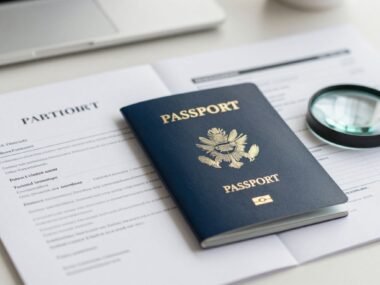
8. Prepare your passport early, it’s the one item you can’t fake
A weak passport setup creates avoidable delays. Before you even touch DS-160, check:
- Validity (commonly recommended: 6+ months beyond intended stay)
- At least a couple of blank visa pages
- No water damage, tears, or loose pages
If you have a new passport, keep the old one too, especially if it contains your prior US visa.
9. Get your visa photo right, most “simple” rejections start here
US visa photos follow strict rules. Even if a studio says “US visa photo,” review the output.
Use this checklist:
- Correct size and proportions
- Plain light background (no shadows)
- Neutral face, both eyes visible
- No heavy filters or beauty edits
- No glare on eyeglasses (and sometimes glasses aren’t allowed depending on current guidance)
- Recent photo, not reused from years ago
A bad photo can lead to a request for a new one, which adds days or weeks.
10. DS-160 completion is where accuracy beats speed
The DS-160 is the core of the application. It captures identity, travel intent, employment, and security questions. Save your application ID and store your answers in a way you can cross-check later.
You’ll also need to print the confirmation page. If your photo upload fails, solve it early, not the night before submission.
For high-level official category context, see the State Department’s overview at B1/B2 visa category guidance.
11. Fix DS-160 issues before you pay, because mistakes are sticky
Small errors can force rework. Common DS-160 problems and clean fixes:
- Name mismatch vs passport: Copy the passport’s spelling exactly, including middle names if shown.
- Wrong passport number format: Recheck zeros vs the letter O.
- Wrong “national identification number” logic: Use what applies to you, and keep it consistent.
- Bad travel dates: If you don’t know exact dates, use realistic estimates, but keep your story consistent.
- Old employer details: Don’t guess titles or dates, verify first.
The goal is a DS-160 you can defend in an interview without backpedaling.
12. MRV fee payment: treat the receipt like a critical document
B1/B2 MRV fees are typically US$185 (confirm current pricing before paying). Payment methods can change, and receipts may have validity rules.
Keep:
- a digital copy (PDF or screenshot)
- a printed copy for your packet
If the receipt info doesn’t match your profile, scheduling can break, and fixing it often takes support time.
13. Scheduling: use the official portal and match the correct lane
Scheduling is where many applicants waste days. Set up a profile carefully, then choose the correct track: Dropbox (if eligible) or interview (if not).
Follow the prompts exactly, especially when asked about prior visas and expiration. If you answer incorrectly, you might end up in the wrong workflow and have to restart.
14. Dropbox submission locations: don’t assume it’s “any courier”
Dropbox works only through approved channels in the system. The exact list of drop-off locations can change, and it’s not always every branch in every city.
Many applicants look for options in major areas like:
- Metro Manila
- Cebu
- Davao
Only use the locations shown inside your official instructions, so your packet goes to the right place.
15. Offsite submission rules: build a packet that’s easy to verify
Dropbox isn’t “less strict.” It’s more paperwork-forward. Your packet should be tidy and complete.
A simple packet assembly order that’s easy to scan:
- DS-160 confirmation page
- Appointment confirmation or delivery instruction sheet (if provided)
- MRV payment receipt
- One compliant visa photo (if required as physical)
- Current passport
- Old passport with previous US visa (if applicable)
Don’t staple passports. Don’t include extra papers unless requested or truly needed.
16. Core document checklist for B1/B2 Dropbox renewal
Most Dropbox renewals revolve around a predictable set:
- DS-160 confirmation page
- Current passport
- Old passport with prior US visa foil (if the visa is there)
- MRV fee receipt
- Recent photo
For minors, you may also need proof of relationship and consent documents, depending on the system instructions for that age group.
17. Supporting documents: what strengthens an application without overloading it
Many people bring “everything” and still feel unprepared. Strong support is targeted and matches your profile.
Examples that tend to make sense:
- Proof of employment or business in the Philippines
- Bank statements (recent, readable, and consistent with your income)
- Proof of family ties, schooling, or property when relevant
If you’re Dropbox, you usually don’t submit all of these unless requested, but you should have them ready in case you’re called for interview.
18. Biometrics: know when it’s required and plan around Manila
Some applicants are asked to appear for biometrics or are converted from Dropbox to interview. If that happens, factor in travel time, time off work, and security rules.
Don’t book non-refundable flights based on “it should be Dropbox.” Wait until your status is clear.
19. Interview prep: focus on consistency, not memorized lines
If you need an interview, keep answers short and factual. Your goal is to show a clear purpose and strong reasons to return to the Philippines.
Top questions you should be ready for:
- Why are you going to the US?
- How long will you stay?
- Who is paying for the trip?
- What do you do for work?
- How long have you worked there?
- Do you have family in the US?
- Where will you stay?
- Have you traveled abroad before?
- What countries have you visited?
- When did your prior US visa expire?
Don’t volunteer long stories. Don’t argue. Match your DS-160.
20. Processing times and tracking: plan for real-world delays
Processing times change with demand. Many applicants report Dropbox taking roughly 1 to 3 weeks, while interview cases can take longer once you include waiting for an appointment and passport return (these are common ranges, not promises).
For official tracking and post-specific guidance, rely on the Manila post pages and your portal updates. If you need to confirm post operations and links, start at U.S. Embassy Manila visa details.
21. “Legit and safe” checklist: what to verify before trusting any service
People searching b1/b2 us visa renewal philippines often compare DIY vs agencies. Some third-party services are legitimate, but many scams copy the look of official sites.
A practical legitimacy check:
- You’re using the official renewal instructions and portal, not a look-alike domain
- Payment is made through the official process, not to a personal account
- You can explain every answer on your DS-160
- You keep access to your own account and email
- Refund and reschedule rules are clear and written, not promised in chat
For tools that offer “visa requirements checks,” remember they’re informational and don’t replace the Embassy decision process. Services like VisaHQ market convenience features such as online applications and status updates, but the Embassy still controls approval and interview decisions, and rules can change quickly.
Conclusion
B1/B2 US visa renewal Philippines works best when you treat it like a fresh application with a possible shortcut. Start with the official renewal page, confirm if you qualify for Dropbox, then build a clean DS-160 and a complete packet.
For b1/b2 us visa renewal philippines, the safest decision framework is simple: qualify correctly, submit accurate documents, and plan timelines based on demand, not guesswork.


 Enu
Enu