 Enu
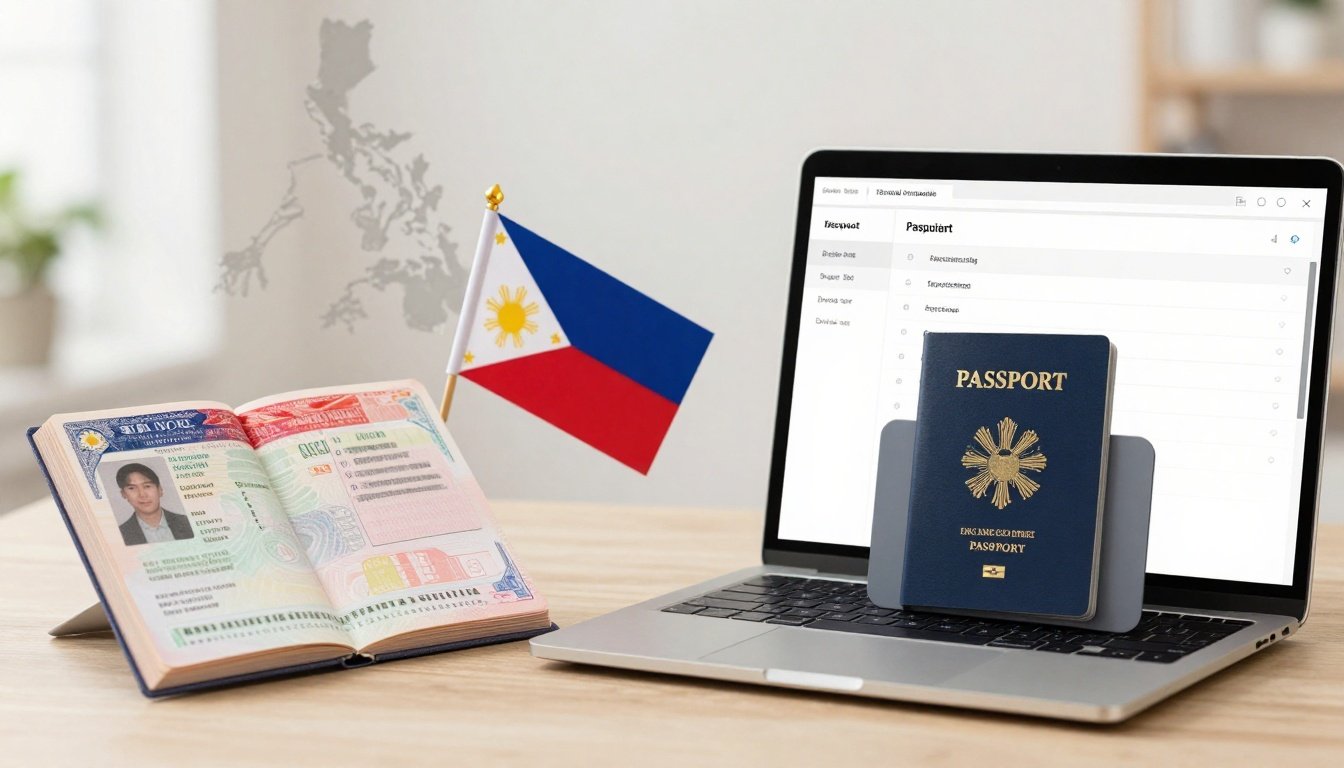
EnuPlanning a us visa renewal philippines dropbox application can feel simple at first, then stressful when you hit the eligibility questions, document rules, and appointment options. This guide breaks the process into clear list items so you can compare your options, prep the right papers, and understand what “Dropbox” really means today.
You’ll also see the most common mistakes that cause delays, what to expect after you submit, and how to protect yourself from misinformation. Always confirm prices and policies on the official site.
Quick Answer (Read This First)
- The “Dropbox” option is the interview waiver route, it lets eligible renewals submit documents without a consular interview.
- Recent policy updates tightened eligibility, for many applicants it now applies mainly to B-1, B-2, or B1/B2 renewals, based on current public updates.
- A common eligibility rule is renewing the same visa type and meeting a strict time window after expiration, often much shorter than older rules.
- If you don’t qualify, you’ll usually schedule two steps, biometrics at a Visa Application Center (VAC) plus an embassy interview.
- Your DS-160 confirmation and appointment confirmation are core items, treat them like boarding passes.
- Processing times change with demand and holidays, so plan for buffer time.
- Don’t rely on screenshots from social media groups, use official pages and your portal messages.
- For Manila-specific instructions, start with U.S. Embassy Manila visa info.
What Is US Visa “Dropbox” and What Does It Do?
1) Dropbox is an interview waiver path, not a separate visa type
Dropbox is the common name for the interview waiver process. Instead of seeing a consular officer in person, you submit a set of documents and the embassy decides based on your record and paperwork.
For a us visa renewal philippines dropbox application, the value is time and predictability. If you qualify, you skip the interview step and focus on getting your documents right.
It’s also not a guarantee of approval. The embassy can still request an interview if something needs clarification.
Key Features of us visa renewal philippines dropbox application
2) It’s built around eligibility rules, document completeness, and post-submission tracking
A Dropbox renewal is designed to be low-contact, but it’s still strict. The system rewards clean, consistent applications. Small mismatches (like different employer info, wrong visa class, or missing old passport) can lead to delays.
Key features most applicants notice:
- Interview waiver for eligible renewals (no consular interview at the start)
- Online profile and scheduling workflow through the official appointment system
- DS-160 as the main application record
- Document drop-off submission instead of an interview appearance
- Status tracking until passport return
- Possible “case escalations” when the embassy needs more checks
Step-by-Step: How to Use the Dropbox Process (Philippines)
3) Start with eligibility, because recent rules got stricter
Before you pay anything, confirm you’re even allowed to renew via Dropbox. Public updates in 2025 tightened the interview waiver program, and current guidance commonly points to B-1, B-2, or B1/B2 renewals as the main categories that still qualify under the stricter standard.
A practical way to think about it: Dropbox is for people renewing the same type, with a clean history, and within a short time since the last visa expired. Some summaries of the changes are discussed in sources like Dropbox eligibility rule update summary, but you should still verify against official instructions for Manila.
If you don’t qualify, your next best option is the regular route (VAC biometrics plus embassy interview).
Before you pay (mini checklist):
- Your prior visa type matches what you’re renewing
- Your prior visa expiry is within the allowed time window
- You’ve had no visa refusals since your last issuance
- Your passport and personal details are consistent across documents
- You can apply in the Philippines (your home country or residence)
4) Create your profile in the official visa appointment portal
This step sets up your application workflow, including document delivery options, appointment booking (if required), and messaging. Use one email you check daily. A lot of applicants miss status updates because the portal emails land in spam.
During registration, expect to enter biographic details that must match your DS-160. Consistency matters here more than people think, especially for name formatting and passport numbers.
If you’ve used the system before, you may be able to reuse the profile, but still review all saved data for accuracy. 5. ### 5) Complete DS-160 carefully, because it’s the “source of truth” The DS-160 is where most avoidable issues start. It feeds the case record, and your answers should match what’s in your passport and your old visa details.
Focus areas that trigger mismatches:
- Full legal name formatting (including middle name handling)
- Work history and role titles
- Prior U.S. travel dates (approximate is fine if honest and consistent)
- Home address and contact numbers
- Social media section (answer what’s asked, don’t improvise)
After submission, save the confirmation page. Treat it as required for every checkpoint. 6. ### 6) Pay the MRV fee and keep proof you can re-access MRV fees are usually non-refundable. The payment step often unlocks scheduling or document submission instructions, depending on your eligibility.
Keep your receipt details in more than one place. Use a PDF copy and a printed copy. If there’s a portal issue later, proof of payment becomes a practical problem-solver.
If you want to confirm local instructions tied to Manila, rely on Manila nonimmigrant visa details rather than third-party threads. 7. ### 7) Gather required documents, then add “supporting” docs only if they help Dropbox submission lives or dies on document completeness. You’re usually submitting a set of required items, plus any extra documents the instructions request based on your profile.
Common core items for a us visa renewal philippines dropbox application:
- Current passport
- Old passport(s) with the prior U.S. visa (if the visa is in an old passport)
- DS-160 confirmation page
- Appointment confirmation or Dropbox confirmation letter (from the portal)
- Photo(s) that meet the required format (even if you uploaded one online)
Supporting docs (only if relevant and clean):
- Proof of ties to the Philippines (employment, business registration, school)
- Financial documents (bank certificates, ITR) if requested or if your case changed a lot
- Prior U.S. travel proof if you need to clarify timelines
A clean packet beats a thick packet. Extra papers that contradict your DS-160 can create questions. 8. ### 8) Answer the interview waiver (Dropbox) questionnaire like a compliance form The portal questionnaire is where many applicants accidentally disqualify themselves. It’s not testing English. It’s checking if your case fits a narrow box.
Common question topics you should be ready for:
- Visa class you’re renewing (B1/B2 vs other categories)
- Where you’re applying (Philippines vs another country)
- When your prior visa expired
- Whether you were at least 18 when the prior visa was issued
- Any visa refusals since last issuance
- Any arrests or legal issues
- Any immigration violations or overstays
- Any major changes in purpose of travel
- Whether your last visa was lost or cancelled
- Whether you can submit required documents without exceptions
If your answers don’t fit, the system may push you into interview scheduling. That’s normal and not automatically negative. 9. ### 9) Schedule your submission, then plan your day like an appointment, not an errand Once the system confirms Dropbox eligibility, you’ll follow the instructions for document submission. Some applicants assume it’s “walk-in anytime.” Usually, there’s still a structured process, either a time slot, a drop-off instruction, or a partner location workflow.
Build a simple plan:
- Print confirmations the night before
- Put documents in the required order
- Bring only what you need
- Arrive early enough to handle lines and security steps
If the system routes you to VAC plus interview instead, treat that as the standard path and plan for two separate visits.
A practical order many applicants use:
- Dropbox confirmation letter or appointment confirmation
- DS-160 confirmation page
- Current passport
- Old passport with prior U.S. visa
- Photo in a small sleeve or envelope
- Any additional documents requested by instructions
Labeling matters too. If your prior visa is in an old passport, make that obvious without adding sticky notes everywhere. 11. ### 11) Track status after submission, and watch for an interview request After drop-off, your job isn’t over. You’ll monitor the status until your passport is ready for pickup or delivery. Status updates can be sparse for days, then change quickly.
Be ready for a common twist: the embassy can request an interview even after Dropbox submission. This isn’t rare, and it doesn’t automatically mean denial. It often means the case needs a quick clarification or additional checks.
For official Manila process notes and local instructions, keep U.S. Embassy Manila post page bookmarked.
Pricing, Fees, and What “Cheap” Really Means
A us visa renewal philippines dropbox application isn’t just the MRV fee. Your real cost is the total out-of-pocket spend plus the cost of delays (extra days off work, reprints, new photos, or resubmission).
Costs usually include:
- MRV fee (visa application fee)
- Photo costs (studio or self-service)
- Courier or delivery fees (if you choose delivery)
- Printing and document copies
- Transportation and time off work
Example calculation (example only): MRV fee + two passport photos + transport to drop-off location + courier delivery. Even if MRV stays fixed, the add-ons can change your total a lot.
The smart “cheap” move is avoiding mistakes that force resubmission or extra appointments.
Pros and Cons
| Item | Pros | Cons | Best for |
|---|---|---|---|
| Interview waiver route | No interview for eligible cases | Eligibility is stricter now | Straightforward B1/B2 renewals |
| Document drop-off | Less time at embassy | Errors can delay processing | Organized applicants |
| Portal tracking | Central place for updates | Messages can be missed | People who check email daily |
| Standardized requirements | Clear checklists | Little flexibility | Applicants with stable history |
| Possible interview request | Can clarify issues | Adds time and stress | Borderline cases |
Common Mistakes (and How to Avoid Them)
- Mixing up visa class (renewing a different type than your last visa). Fix: match the same category unless official rules say otherwise.
- DS-160 errors, especially travel history and employer details. Fix: review slowly, use saved drafts, keep details consistent.
- Missing the old passport with the prior visa. Fix: always include it when the visa is not in your current passport.
- Using the wrong photo format. Fix: get fresh photos that meet the required size and background rules.
- Paying before confirming eligibility. Fix: finish the questionnaire and read the Manila instructions first.
- Ignoring portal messages. Fix: check the portal inbox and email spam daily.
- Overloading the packet with random financial documents. Fix: submit what’s required, add only what supports real changes.
- Assuming “Dropbox” means instant processing. Fix: plan time buffer and avoid tight travel dates.
- Wrong delivery address or unreachable phone number. Fix: verify delivery details twice.
- Treating third-party posts as official policy. Fix: verify on official pages and your portal.
Is us visa renewal philippines dropbox application Legit and Safe?
The process itself is legitimate when you use the official application flow and submit through approved channels. The risk usually comes from misinformation, fake “appointment fixers,” and payment requests that don’t match the official system.
A safe way to evaluate legitimacy:
- Confirm the instructions match the official Manila post guidance on Travel.State.Gov Manila page.
- Verify the support channel is the same one referenced in your appointment portal.
- Review any “policy change” claims against credible summaries. Some law firms track changes closely, for example Dropbox program change overview, but you should still confirm the rules that apply to Manila.
If a service promises guaranteed approval or claims they can bypass eligibility, treat that as a red flag.
Tips to Get Better Deals
- Apply early so you don’t pay for rush reprints and last-minute travel.
- Use one organized folder (paper and digital) for every receipt and confirmation.
- Print everything in one run to reduce repeat trips to printing shops.
- Take a new visa photo even if your last one “looks fine.”
- Avoid rescheduling unless you must, it can push you back weeks.
- Choose delivery only if your address is stable and someone can receive it.
- Keep your work schedule flexible near submission dates.
- Track holidays and peak travel months, demand affects timelines.
- Don’t book non-refundable flights until you have your passport back.
- If you’re unsure about a rule change, confirm with official sources, then proceed.
FAQs
- Can B1/B2 renewals still use Dropbox in the Philippines?
Often yes, if you meet the interview waiver requirements and the current time window since expiration. Rules can change, so confirm on official Manila guidance. - Can I renew F-1, H-1B, or J-1 via Dropbox?
Public updates indicate stricter eligibility, and many applicants in those categories are routed to interviews. Always confirm for your category before paying. - What if I don’t qualify for Dropbox?
You’ll typically follow the regular process, VAC biometrics plus an embassy interview appointment. - Can the embassy ask for an interview after Dropbox submission?
Yes. Dropbox is a waiver of the initial interview step, not a promise that an interview will never be needed. - How long does processing take?
It varies with demand, staffing, and security checks. Don’t rely on one person’s timeline, check current guidance and plan buffer time. - Do I need bank statements for a renewal?
Only submit what the instructions require, or what clearly supports major changes. Extra documents that conflict with DS-160 can hurt more than help. - Can I travel while my passport is submitted?
Usually no, since your passport is part of the submission. Plan around that lock-in period. - Is it safe to use third-party services to “help” with Dropbox?
Be careful. Some services only provide basic form help, but scams exist. Use official channels for payments, scheduling, and submission.
Conclusion
A us visa renewal philippines dropbox application works best when you treat it like a compliance checklist: confirm eligibility first, keep DS-160 answers consistent, and submit a clean document packet. The tighter rules mean more people get routed to interviews, so being ready for either path saves time.
Use official Manila guidance to anchor every decision, then act early enough to absorb delays. That’s the simplest way to protect your schedule and your budget.

 Enu
Enu