 Enu
EnuWaiting for your Brazil work permit approval can feel like endless suspense. You submitted your docs, but now what? This guide walks you through the brazil work permit check process on the official site. You’ll learn quick steps to check status online, key features, common pitfalls, and tips for smooth tracking.
We cover everything from the Ministry of Foreign Affairs tool to what statuses mean. It’s free and straightforward. Always verify details on the official government site, as rules can shift. Brazil work permits let foreigners take jobs there temporarily. Think tech roles, exec positions, or transfers. The online checker pulls real-time updates from Itamaraty’s system.
Quick Answer (Read This First)
- Official site: formulario-mreserprogovbr
- Switch to English with UK flag icon.
- Search by recovery code + last name, or full name + birth date.
- Statuses include SENT, UNDER REVIEW, APPROVED, READY FOR DELIVERY.
- Solve captcha to proceed.
- Green bubbles show progress visually.
- Free tool, no login needed.
- Contact your consulate if no results.
What Is Brazil Work Permit Check and What Does It Do?
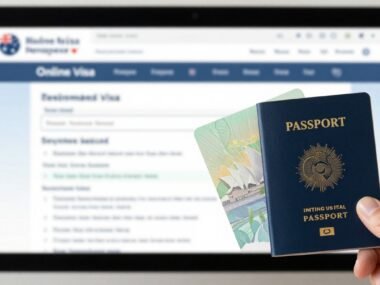
The brazil work permit check is an online tool from Brazil’s Ministry of Foreign Affairs. It tracks your temporary work visa, called VITEM V. You use it after submitting your e-form and docs at a consulate or embassy.
This system handles all visa types, including work permits for jobs like skilled labor or company transfers. Submit your form online first, then drop off passport and papers. The checker shows if your app moved from submission to approval.
For example, many apply via consulates in the US or Europe. Services like VFS Global help with some Brazil visas, but work permits go through the main Ministry portal. It gives peace of mind without calls.
Key Features of Brazil Work Permit Check
- English toggle: Click the UK flag at top right for full translation.
- Two search options: Use recovery code with last name, or full name plus date of birth.
- Visual progress: Green bubbles mark completed stages like APPROVED.
- Real-time updates: Reflects latest consulate actions instantly.
- Captcha security: Simple image check blocks bots.
- Mobile-friendly: Works on phones or desktops, no app needed.
- No fees: Completely free from the government.
Step-by-Step: How to Use Brazil Work Permit Check
Before you start:
- Grab your recovery code from the confirmation email.
- Note your exact passport name and birth date.
- Use stable internet; have passport handy.
- Go to formulario-mreserprogovbr
- Click the UK flag icon top right for English.
- Find and hit the big CHECK STATUS button.
- Pick your search method: recovery code + last name or full name + DOB.
- Enter details exactly as in your passport; no typos.
- Type the captcha code shown.
- Click Search; view your status and green progress bubbles.
- Note next steps, like pickup at consulate.
Processing Times, Fees, and What to Expect
The brazil work permit check itself costs nothing. Consulate fees apply when you apply, often $100-300 depending on location. Check your embassy site.
Times vary by workload. SENT means docs arrived; expect UNDER REVIEW in days. Full review takes 2-6 weeks for work permits. APPROVED leads to READY FOR DELIVERY in 3-5 days.
Sample timeline: Submit Jan 10 (SENT), review starts Jan 15 (UNDER REVIEW), approved Jan 25, ready Feb 1. Track return mail if you prepaid shipping.
Pros and Cons
| Pros | Cons |
|---|---|
| Official and accurate data | Needs exact personal details |
| Free with quick access | No live chat on the site |
| Clear green bubble visuals | Status may lag 1-2 days |
| Works anytime on any device | Contact consulate for issues |
| No account or login required | Limited to submitted apps |
Common Mistakes (and How to Avoid Them)
- Wrong name spelling: Use passport exactly; copy-paste if possible.
- Missing recovery code: Save it during form submission or check email.
- Skip captcha: Always complete the image puzzle fully.
- Check too early: Wait 1-2 days after drop-off for updates.
- Wrong language: Hit UK flag first; Portuguese defaults confuse.
- Typos in DOB: Enter as DD/MM/YYYY matching your docs.
- Ignore consulate site: Start from there for direct portal link.
- No internet backup: Use desktop if mobile glitches.
- Forget pickup deadline: Note READY status and act fast.
Is Brazil Work Permit Check Legit and Safe?
Yes, it’s fully legit. Brazil’s Ministry of Foreign Affairs runs it via serpro.gov.br, a trusted government IT firm. Look for https:// and the exact domain to dodge fakes.
Your info stays safe if you don’t share codes. Millions use it yearly without issues.
Tips to Get Updates Faster
- Save your recovery code and email right after applying.
- Bookmark the portal for one-click access.
- Check weekly, not daily, to avoid frustration.
- Submit perfect docs upfront; errors delay review.
- Use VFS drop-off if your consulate offers it for Brazil visas.
- Email consulate early if stuck over two weeks.
- Prepay return envelope for mailed passports.
- Know pickup hours; many close weekends.
- Join expat forums for average times by consulate.
- Update contact info in your app for alerts.
FAQs
What does SENT mean in brazil work permit check?
It shows your form arrived, but docs may still process.
How long until APPROVED?
Typically 2-6 weeks; check consulate estimates.
No status found?
Double-check details or contact the consulate with passport number.
Is this for eVisa or work permit?
Same tool for VITEM V work visas and others.
Do I need to log in?
No, just search with code or name/DOB.
Where’s my local consulate link?
Visit gov.br/mre and pick your city.
What if READY FOR DELIVERY?
Pick up passport soon; bring ID.
Can VFS track work permits?
Some locations yes; check their site.
Work permit vs tourist visa?
Process same, but work needs job offer docs.
Delays common?
Yes in peak seasons; follow up politely.
Conclusion
Master the brazil work permit check with these steps: hit the official portal, search smart, read statuses clearly. It’s reliable and free from the Ministry.
Start tracking today. Prep for pickup and reach your consulate for questions. Your Brazil job awaits.


 Enu
Enu