 Enu
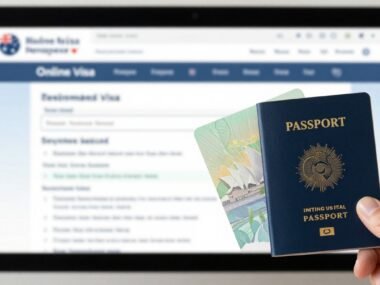
EnuTired of waiting weeks for answers on your Canada visa status? The webform canada visa application tool from IRCC solves that. It lets you message officials directly about ongoing applications for visitor visas, study permits, work permits, or permanent residence.
In this guide, you’ll learn when to use the official IRCC web form, step-by-step instructions, common pitfalls, and tips for fast replies. It’s free, secure, and handles updates like new passports or missing documents. Always check the official canada.ca site for the latest rules, as they change often. Services like VFS Global manage appointments and submissions, but this form contacts IRCC straight for in-progress cases.
Quick Answer (Read This First)
- It’s official: IRCC’s free online form for questions, updates, or document uploads on existing applications, not new ones.
- Use for status checks, new passport details, marriage changes, or adding proof of funds.
- Pick the right form: main “contact us,” “add document,” or “update contact info.”
- Enter UCI, application number, or dummies (0000000 and 1111111111) if none exist.
- Write short, clear messages with facts and dates; attach PDF/JPG files.
- Expect replies in 3-6 weeks; no guarantees or speed-ups.
- Safe on canada.ca; avoid paid agents promising faster service.
- Check your online account first to save time.
What Is Webform Canada Visa Application and What Does It Do?
The webform canada visa application refers to IRCC’s online contact tools. These let applicants reach officials without calls or mail. You access them after submitting a visa or permit application.
IRCC offers three main types. The general form handles most inquiries. A special one adds documents if your account upload fails. Another updates contact details like email or address.
It works for temporary stays like visitor visas (TRV), study permits, or work permits. Permanent residence cases, such as Express Entry, fit too. You can’t submit new applications here; use the IRCC portal for that. Unlike VisaHQ’s requirement checkers or VFS centers for biometrics, this targets post-submission needs.
The form routes your message to the right office or visa office. Agents review it alongside your file. Simple updates might process without a full reply.
Key Features of Webform Canada Visa Application
- Secure online access: Hosted on canada.ca with HTTPS; no login needed beyond basic details.
- Multiple form types: General inquiries, document uploads, or contact changes.
- File attachments: Upload PDFs, JPGs, or PNGs for passports, proofs, or letters (check size limits).
- Personal updates: Report new passport, address, marital status, or family changes.
- Application linking: Use UCI (8-10 digits) and number to connect to your file.
- Confirmation emails: Get instant proof of submission with a reference number.
- Broad coverage: Supports visitor visas, study/work permits, PR, and even pre-application questions.
Step-by-Step: How to Use Webform Canada Visa Application
- Visit the IRCC web form page and select “Continue” for your need.
- Choose your role: principal applicant, representative, or on behalf of someone.
- Enter personal details: full name, date of birth, email, country, and language (English or French).
- Input UCI and application number; use 0000000 and 1111111111 if you lack them.
- Select category like “Temporary Residence” then “Temporary Resident Visa” or “Study permit.”
- Write a clear message: state your issue, include dates, and repeat key details like name and DOB.
- Attach files if uploading: name them simply, like “New_Passport.pdf.”
- Review, submit, and save the confirmation email or screenshot.
Before you submit checklist:
- Double-check UCI and application number for accuracy.
- Pick the exact category to avoid delays.
- Keep files under limits and in PDF/JPG.
- Limit message to key facts; no long stories.
No Fees: Costs and What to Expect with Webform Canada Visa Application
This service costs nothing. No hidden charges or agent fees apply. Submit from any device without payments.
Expect a confirmation right away. Replies take 3-6 weeks on average, though simple updates like address changes might process quietly. For example, if you send a new passport scan for a study permit, you get the email day one and a file note in 30 days.
Skip paid services that claim to rush web forms. They add no value and can mislead. Stick to official channels for reliability.
Pros and Cons
| Pros | Cons |
|---|---|
| Completely free and official | Replies take weeks |
| Direct to IRCC office | No status guarantees |
| Easy document uploads | Wrong category causes delays |
| Works for updates and questions | No phone follow-up option |
| Secure with confirmation | Spam submissions ignored |
Common Mistakes (and How to Avoid Them)
- Wrong category: Pick “Temporary Resident Visa,” not visitor record. Fix: Read dropdown options carefully.
- Missing UCI/app number: Leads to unlinked messages. Fix: Check your account or letters; use dummies only if needed.
- No attachments: Forgets proofs. Fix: Always scan and upload clear copies.
- Vague messages: Agents skip unclear ones. Fix: Use dates, names, and short sentences.
- Multiple forms: Overloads your file. Fix: Wait for a reply before resending.
- Using for new apps: Gets rejected. Fix: Apply via portal first.
- Large files: Rejections happen. Fix: Compress under limits.
- Ignoring account: Duplicates effort. Fix: Check status online first.
Is Webform Canada Visa Application Legit and Safe?
Yes, it’s fully official from IRCC on canada.ca domains. Look for the Government of Canada logo and HTTPS lock. No payments or personal banking details required.
Fake sites mimic it to steal data; always type the URL directly. This beats third-party tools like VisaHQ checkers, as it links to your real file.
Alternatives include your IRCC account messages or client support forms. For complex study visas, pair it with VFS for biometrics, but web form stays direct for updates.
Tips for Successful Webform Canada Visa Application Submissions
- Provide exact UCI and application number every time.
- Attach high-quality scans of requested items like passports or bank statements.
- Reference any prior IRCC letters or requests in your message.
- Focus one issue per form for quicker handling.
- Save all confirmations and emails in a folder.
- Use it only for real changes, not daily status pings.
- Write in simple English; include full name and DOB upfront.
- Check processing times tool before submitting.
- For study permits, add new offer letters promptly.
- If no reply in 8 weeks, follow up once with reference number.
- Test uploads on a small file first.
- Combine with consultants for full applications, like those aiding UK or Canada study plans.
FAQs
What if I have no application number?
Enter 0000000 for the number and 1111111111 for UCI. It still routes your inquiry.
How long for a response?
Typically 3-6 weeks, but no fixed time. Check your account meanwhile.
Can I track my web form submission?
Yes, use the confirmation reference number in follow-ups.
Does it work for study visas?
Yes, upload new LOAs or funds proofs under “Temporary Residence > Study permit.”
What about visitor visa status?
Select “Temporary Residence > Temporary Resident Visa”; ask if biometrics arrived.
Is it for PR applications?
Yes, pick immigration categories like Express Entry for updates.
Can I expedite with it?
Rarely; prove emergencies like illness with docs.
Alternatives to web form?
IRCC account messages or VFS for appointments.
Wrong form sent; what now?
Wait; explain in a follow-up with both references.
Supports French?
Yes, select French for replies in that language.
Conclusion
The webform canada visa application stands out as a free, direct way to handle updates on visitor visas, study permits, and more. Follow the steps, avoid pitfalls, and keep records for smooth results.
Bookmark the official page and prep your details now. For full processes, consider experts like study abroad counselors. Ready to submit? Check canada.ca and act today.


 Enu
Enu