 Enu
EnuIf you’ve ever stepped off a train at ZRH and felt your brain do a quick reset, a zurich airport map is the simplest way to get back in control. This guide shows you how to find the right terminal and gate, reach the train station, pick the right parking area, and locate services like lounges, toilets, and baggage claim without guessing.
Maps can change as shops move and gates get reassigned, so keep it practical: always confirm locations, opening hours, and policies on the official Zurich Airport site before you go (start with the Zurich Airport passenger pages).
Quick Answer (Read This First)
- The fastest, most reliable option is the official Zurich Airport interactive map, it’s designed for live wayfinding inside ZRH.
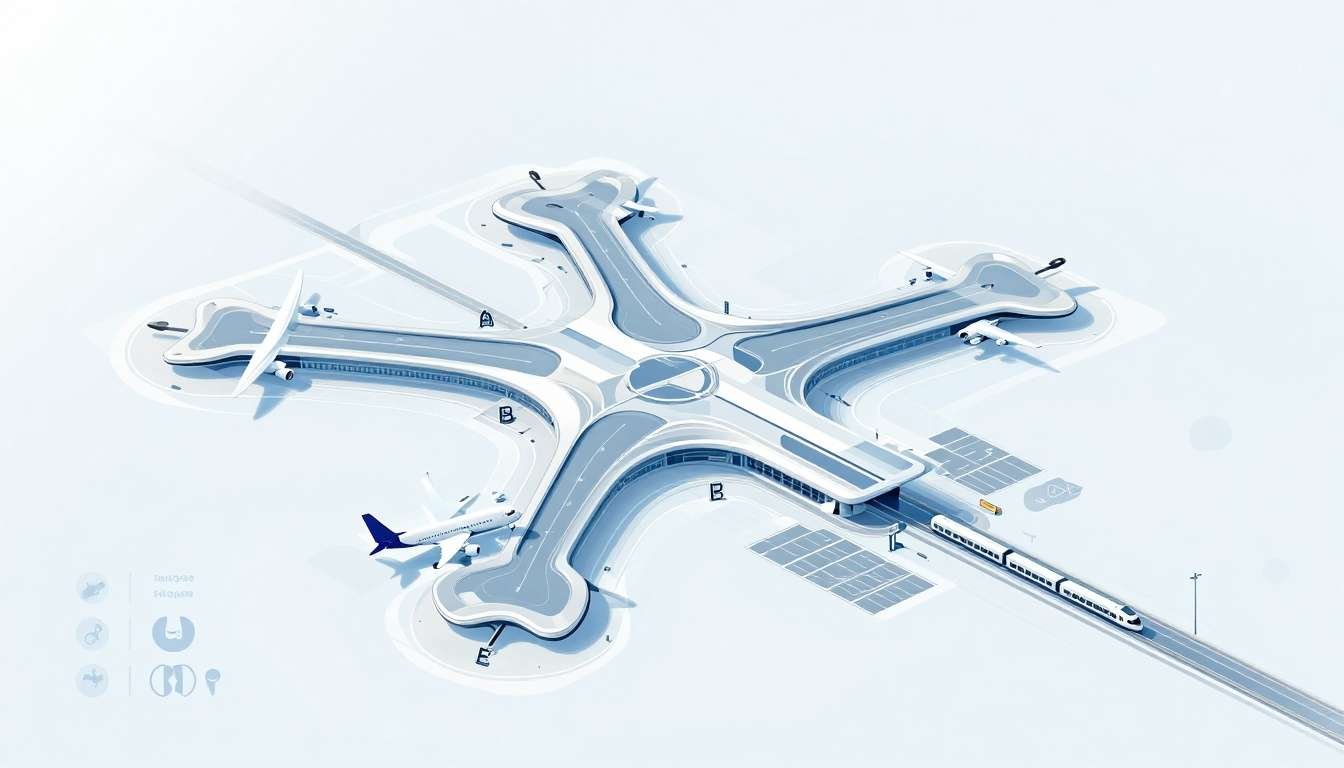
- Zurich Airport uses Terminal A, Terminal B (often shown as B/D), and Terminal E as the main gate areas.
- In plain terms, A is mainly Schengen, B can be mixed (Schengen and non-Schengen), and E is non-Schengen (the midfield terminal). Gate use can change, so trust your boarding pass and airport screens first.
- Connections happen through the Airside Center, the central hub after security with signs that split toward A, B/D, and E.
- Terminal E is reached by Skymetro, an underground shuttle train from the Airside Center (post-security).
- If you only have a screenshot, use it as a backup for “big moves” (Airside Center to Skymetro, gate zone direction), then verify details on airport screens.
- Zurich Airport is roughly 9 km from central Zurich (use it as a location reference, not a travel time promise).
Best map choice for your situation
The official interactive map is best when you need live directions and quick searching (gate numbers, shops, toilets, lounges). It’s the closest thing to having an airport staff member in your pocket.
A static terminal map (PDF or image) is best when you want something printable or you’re saving a clean offline reference for a connection. It won’t reflect last-minute gate changes, but it’s great for understanding the layout.
Google Maps or Apple Maps are best for getting to ZRH (driving, public transport drop-off points). They can help with the airport perimeter and entrances, but they’re not built for post-security gate-by-gate routing.
What Is Zurich Airport Map and What Does It Do?
When people search for a “zurich airport map,” they usually mean more than a picture of terminals. They want the layout of gate areas, step-by-step directions, and the location of useful stops like security, passport control, baggage claim, and food.
A good airport map also shows “micro-decisions.” Which corridor actually leads to your pier? Where’s the nearest restroom after you clear security? How do you get to the Skymetro platform without taking the long loop?
The big split to understand is landside vs airside. Landside is before security (check-in, arrivals hall, train station access). Airside is after security (gate areas, most lounges, many restaurants, and the Skymetro to Terminal E).
That difference matters when you’re meeting someone, planning a short layover, or flying non-Schengen. A restaurant that looks “close” on a map might be airside, which you can’t reach if you’re just waiting in arrivals.
Understand Zurich’s terminals in plain language (A, B, and E)
Terminal A is generally used for Schengen flights. If your trip stays within Schengen rules, this area often feels quick because you typically skip passport control on departure.
Terminal B can serve both Schengen and non-Schengen routes. In many airport references it’s shown as B/D because parts of the same zone support different flows.
Terminal E is the non-Schengen midfield terminal across the airfield. You don’t walk there from A or B like it’s the next corridor. You follow signs from the Airside Center and take the Skymetro.
Exact gate assignments can shift, sometimes close to departure. Treat the map as your layout tool, and treat your boarding pass and airport screens as the final word.
Key Features of Zurich Airport Map
- Search by gate, shop, or service so you’re not scanning tiny labels.
- Route planning from point A to point B, useful when you’re connecting or meeting someone.
- Filters for food, toilets, lounges, baggage claim, and accessibility features.
- Zoomable terminal layouts that make gate areas easier to understand at a glance.
- Parking and transport views to match the right car park or drop-off zone to your terminal plan.
- Connection helpers that make the Skymetro route to Terminal E hard to miss.
Step-by-Step: How to Use Zurich Airport Map
- Confirm your terminal and gate from your boarding pass (and re-check the airport screens after you arrive).
- Open the official zurich airport map and switch to the view that matches your situation (landside for check-in and trains, airside for gates).
- Search your gate (A, B/D, or E) and zoom out once to understand which direction your route will flow.
- Pin key stops you’ll actually use: security, passport control (if non-Schengen), a restroom, and your lounge or a quick food option.
- Plan the path based on the reality of your trip (carry-on only vs checked bag, traveling with kids, accessibility needs).
- If you’re going to Terminal E, follow the map to the Airside Center, then to Skymetro, then re-check your gate zone after you arrive in E.
- If you’re connecting, re-check the map after landing. Your arrival gate can change, and so can your departing gate.
- Keep the map open, but trust the airport screens if there’s a mismatch.
One anchor point to remember: the Airside Center is the main link between terminals, and it’s where most routes naturally pass through.
Before you go (mini checklist)
- Non-Schengen route? Plan time for passport control.
- Build a buffer for boarding, especially if you need Skymetro to Terminal E.
- Save a clear offline screenshot of your key route.
- Know your transport plan (train, taxi, ride share) or your parking zone before you arrive.
Pricing, Fees, and What “Cheap” Really Means (Maps, WiFi, and getting around)
The map itself is the easy part: viewing an airport map is typically free, especially when you use the official site. The “cost” shows up in what you need to access it and how you move once you’ve planned your route.
Zurich Airport offers free WiFi for a limited time window (often listed as up to about 4 hours), but policies can change. Confirm the current limit and login steps on the official site before travel day.
The real wallet traps are usually tied to choices the map helps you avoid:
- Parking differences by zone (short-stay close to terminals vs longer-stay farther away).
- Faster vs cheaper ground transport (train vs taxi, or paid express options if you’re rushing).
- Mobile data roaming if you skip WiFi and your plan charges extra.
Example (cost check): parking + train ticket + mobile data add-ons can change your total trip cost. If you pre-book parking or transport, check cancellation and refund rules so you’re not stuck paying for a plan you didn’t use.
Pros and Cons
| Option | Pros | Cons | Best for |
|---|---|---|---|
| Official interactive map | Most accurate, searchable, designed for ZRH wayfinding | Needs phone battery, may need data/WiFi | Live directions to gates and services |
| Static PDF or saved screenshot | Works offline, easy to share, good for planning | Can get outdated fast, no live routing | Backup plan and quick layout reference |
| Third-party airport guides | Useful overview, extra tips and photos | May lag behind changes, occasional mismatches | First-time research before travel day |
Common Mistakes (and How to Avoid Them)
- Mixing up landside vs airside: check whether a place is before or after security.
- Assuming Terminal E is walkable like A and B: plan for Skymetro from the Airside Center.
- Not planning time for passport control on non-Schengen routes: add buffer, especially during peak hours.
- Relying on old screenshots: re-save a fresh one close to departure day.
- Following a restaurant spot that’s past security when you’re still landside: switch the map layer and confirm access.
- Choosing the wrong parking area: match your car park to your check-in area and terminal plan.
- Ignoring gate changes: always check airport screens near the Airside Center and near your gate zone.
- Planning only for “best case”: build slack for bags, family travel, or mobility needs.
Is Zurich Airport Map Legit and Safe?
Yes, the safest choice is the official Zurich Airport map because it comes from the airport operator and is updated for current terminal routing. Reputable third-party airport guides can help with context, but treat them as secondary.
Simple checks keep you safe:
- Confirm the domain is correct when using online maps (avoid lookalike sites).
- If a map shows an “updated” date, prefer the most recent version.
- You shouldn’t need to enter payment info just to view a map.
- Privacy basics still apply: don’t share passport details or booking references in random chats or pop-ups.
Also verify the basics the map can’t guarantee: your ticket details, your gate, and your boarding time with your airline and the airport screens. For airline-side airport tips, SWISS has a useful overview of Zurich Airport information.
Tips to Save Time Using the Zurich Airport Map
- Search your gate first, then back-plan to security so you know what you’re racing against.
- Save “favorites” like gate, lounge, and restroom so you don’t repeat searches.
- Take a screenshot of the Skymetro path if you’re flying from Terminal E.
- Use the map to find the nearest toilets and water right after security, that’s often when you need them.
- For tight connections, follow the most direct path to passport control (if needed) and then to Skymetro.
- Check opening hours for food spots, especially early morning or late evening flights.
- Treat airport screens as your “truth source” for last-minute changes, then use the map to execute the new plan.
- If you have checked baggage, confirm where baggage claim sits in your arrival flow before you start walking.
- If you’re parking, map your route from the car park to check-in, not just to “the airport.”
- Build extra buffer for Terminal E transfers so you don’t end up speed-walking the whole pier.
FAQs
Where are Terminals A, B, and E at Zurich Airport?
A and B are connected to the main terminal via the Airside Center (post-security). E is the midfield terminal across the airfield.
How do I get to Terminal E?
Go through security, reach the Airside Center, then follow signs to Skymetro. Re-check your gate once you arrive in E.
What is the Airside Center?
It’s the central post-security hub that links routes to Terminal A, Terminal B/D, and the Skymetro to Terminal E.
Do I need to clear passport control when switching between Schengen and non-Schengen?
Often, yes. If your departing flight is non-Schengen, plan for passport control. Follow signs and confirm based on your flight details.
Can I use the map without WiFi?
Yes, if you save a screenshot or have offline access. The interactive map is best with data, but a saved view works as a backup.
Where is baggage claim shown on the map?
Baggage claim is typically in the arrivals flow (landside). Switch the map to the arrivals or landside view and search “baggage claim.”
Where is the train station at Zurich Airport?
The train station is integrated into the airport complex (landside). Use the map’s transport view and follow signs for trains.
Which map is best for parking?
Use the official airport site views for parking and transport when you need accuracy by zone. Third-party maps can help with driving directions, but confirm the parking area name and access points on official pages.
Conclusion
A zurich airport map is most valuable when you use it like a plan, not like a promise. Use the official interactive map for live directions, keep a saved screenshot as a backup, and confirm terminal and gate on airport screens.
Your next step is simple: check your flight details, then map your route to the right terminal (and Skymetro if you’re headed to E) before you arrive at ZRH.


 Enu
Enu