Enu
EnuIf you’re planning a trip from Germany (or connecting through Amsterdam), klm flight booking can feel simple until you hit the details: seat fees, baggage rules, fare limits, changes, and refunds. This guide shows where to book, the exact steps, what fees to expect, how to manage your trip, and how to spot better prices without guessing.
Always confirm prices and policies on the official site.
Quick Answer (Read This First)
- Book on KLM’s official website when you want direct control over your ticket, seats, bags, and changes.
- Compare several date options before you pay, even shifting by 1 day can change prices.
- Check baggage and seat fees early, the cheapest fare can become expensive after add-ons.
- Save your booking reference (PNR) and use My Trip to manage check-in, changes, and extras.
- Use Google Flights tools to find cheaper days: Price tracking, Explore, Date grid, and Price graph.
- Promo fares can be great, but they often come with stricter change and refund rules.
- Add extras online earlier when possible, airport prices can be higher than pre-purchase prices.
- Keep your contact email correct, updates and changes usually flow through email and the app.
What Is KLM Flight Booking and What Does It Do?
KLM flight booking is the process of buying a ticket for a KLM-operated flight, then receiving a booking code (often called a PNR) that lets you manage the trip. After you book, you can usually handle the basics online, like check-in, paid seats, and extra baggage.
Most travelers start one of two ways. They either book directly on KLM’s site, or they compare dates and routes on a tool like Google Flights first, then return to book direct.
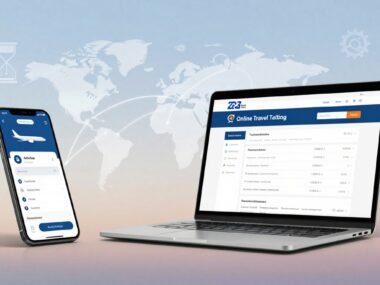
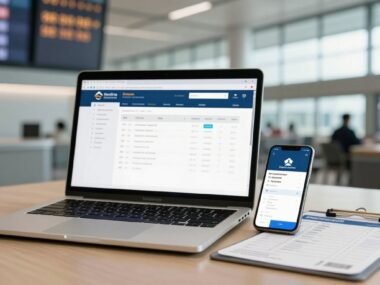
Once your ticket exists, “manage your booking” becomes the real value. Through KLM’s My Trip area and mobile app, you can view your itinerary, add extras, track flight status, and see what your fare allows.
Ticket types matter more than many people expect. The rules for changes, cancellations, and refunds can differ by fare brand and route, so you want to read the fare conditions before paying.
Key Features of klm flight booking
- Choose one-way, round trip, or multi-city tickets based on your plan.
- Pick seats during booking (sometimes free, often paid depending on fare and cabin).
- Add checked baggage, extra bags, or other extras while prices are still clear.
- Pay with common payment methods, and in some cases use miles if you’re eligible.
- Use My Trip to change flights, check in, and manage extras in one place.
- Track your flight status and get app or email alerts for schedule changes.
- Keep everything in the app so your ticket details are handy on travel day.
Step-by-Step: How to Use KLM Flight Booking
- Start your search with your departure airport, destination, dates, and passenger count.
- Compare flight options, paying attention to times, stops, and cabin class.
- Select a fare, then check what it includes (bags, seat choice, change rules).
- Add extras you want now, like checked baggage or a preferred seat.
- Enter passenger details exactly as shown on passports or IDs (names matter).
- Review the full price, including taxes and any add-ons.
- Pay using your chosen method and confirm the purchase.
- Save the confirmation email and booking reference, then open My Trip to verify everything.
Before you pay, check this:
- Total price with bags and seats included (not just the headline fare).
- Fare rules for changes, cancellation, and refunds.
- Correct names, dates, and airports (watch time zones on late flights).
- Passport validity and travel document needs for your route.
- Payment card and contact email are correct, so you receive updates.
For complex cases (name issues, special assistance, unusual itineraries), official phone support can help, but it’s best to start from the help options inside your booking.
Pricing, Fees, and What “Cheap” Really Means
A “cheap” ticket is not just the base fare. Your true trip cost is often:
Fare + taxes + baggage + seat selection + changes + service or support fees (if any).
Prices depend on route, season, how full the flight is, and your cabin (Economy, Premium Comfort, Business). If you’re comparing options, don’t compare fares alone, compare the full basket you’ll actually buy.
Here’s a simple example so you can see how costs stack up:
- Base fare: €220
- 1 checked bag: €45
- Paid seat selection: €18
- Example total: €283 (plus any other add-ons you choose)
Timing matters, too. As a general rule, booking a few weeks ahead often helps for shorter trips, and booking a few months ahead can help for international trips where you want the lowest fares. If your schedule can bend, Google Flights tools like the Date grid and Price graph are useful for spotting cheaper days around your target week.
Pros and Cons
| What you get | Pros | Cons |
|---|---|---|
| Control | Manage your trip directly in My Trip | Some changes still require support help |
| Price | Promo fares can be very attractive | Promo fares often have tighter rules |
| Planning | Clear add-on choices for bags and seats | Extras can raise the final cost quickly |
| Day-of travel | App alerts and flight status updates | Alerts don’t fix tight connection times |
| Support | Official support channels for issues | Wait times can happen during disruptions |
Common Mistakes (and How to Avoid Them)
- Mistake: Not checking baggage rules. Fix: Confirm your KLM baggage allowance before buying.
- Mistake: Looking only at the base fare. Fix: Price it with bags and seats included.
- Mistake: Booking the wrong date because of late-night departures. Fix: Re-check local times and arrival day.
- Mistake: Name spelling errors. Fix: Copy names directly from passports before checkout.
- Mistake: Losing your booking reference. Fix: Save the email and store the PNR in notes.
- Mistake: Waiting to add bags or seats. Fix: Add extras early online when you know you’ll need them.
- Mistake: Ignoring passport and entry rules. Fix: Check documents before paying, not at the airport.
- Mistake: Skipping price tracking. Fix: Track routes so you see drops and spikes.
- Mistake: Assuming refunds are automatic. Fix: Read fare rules and follow the official refund flow.
- Mistake: Not reading promo fare conditions. Fix: Treat promo deals like “use it as-is” unless rules say otherwise.
Is KLM Flight Booking Legit and Safe?
Yes, booking through KLM’s official site is a normal and generally safe way to buy airline tickets, as long as you confirm you’re on the real domain and you keep your proof of purchase.
Use this quick safety check before and after paying:
- Make sure you’re on the official KLM site (look for the correct domain and secure payment).
- Confirm you receive a confirmation email with a booking reference (PNR).
- Check who issued the ticket, this matters if you booked through a third party.
- Use official channels for help and avoid unofficial numbers from random websites.
- Understand refund and cancellation rules, because eligibility depends on your fare.
Reviews tend to be mixed based on the situation. Smooth trips get few comments. Disruptions, missed connections, and complex rebooking are where people feel the most stress. In those cases, handling changes through your booking and official support is usually easier than bouncing between sellers.
If you’re trying to protect yourself, booking direct also reduces confusion about who owns the booking when you need help (a common pain point with OTA tickets). That’s one reason many travelers prefer KLM manage booking through the official tools.
For policy details on refunds and compensation, use KLM’s official guidance page: Refund and compensation options for KLM flights.
Tips to Get Better Deals
- Use Google Flights Explore when you’re flexible, it highlights cheaper destinations on the map.
- Turn on Flexible dates, then test trip lengths (weekend vs weeklong) to see price shifts.
- Try Anywhere as the destination to find the lowest fares when you don’t care where you go.
- Use the Date grid and Price graph to spot the cheapest days to depart and return.
- Turn on price tracking for specific dates, or for any dates if you’re flexible, so you get alerts.
- Book earlier when you can, weeks ahead often helps for shorter routes, months ahead often helps for international trips.
- Check KLM promo fares, but read the rules first, especially for refunds and date changes.
- Fly mid-week or off-peak if possible, popular days usually cost more.
- Consider nearby airports if you’re in NRW, Berlin-Brandenburg, or southern Germany, small shifts can save money.
- Use miles only when the value makes sense compared to paying cash.
- Add bags early online and avoid surprise costs at the airport.
- Skip paid seats if you truly don’t care where you sit, that money can go toward baggage or a better fare.
FAQs
Is it cheaper to book KLM direct or through an OTA?
It depends, but direct booking often gives clearer control for changes, refunds, and support.
How do I change a KLM booking?
Use My Trip in your booking to change flights when your fare allows it, otherwise contact official support.
How do refunds work?
Refund eligibility depends on the fare rules and the reason. Some tickets are non-refundable, while cancellations by the airline can follow different rules.
How do I cancel a KLM flight?
Start in My Trip and follow the cancellation options shown for your fare. Keep the confirmation of the cancellation request.
What are the basics of KLM baggage allowance?
It varies by route and fare. Check what’s included before buying, then confirm again in your booking.
Does seat selection cost money?
Often yes in Economy, especially for standard or preferred seats. Some fares include it, others charge.
How do I use My Trip?
Open your booking with your last name and booking code to view flight details, add extras, and check in.
When does online check-in open?
It depends on your flight, but many airlines open check-in about a day before departure. Your booking will show the exact window.
How do I contact customer service safely?
Use the official help and contact paths linked from your booking, not numbers posted on third-party sites.
How do I track prices using Google Flights?
Search your route, choose dates (or flexible dates), then turn on price tracking. You can monitor alerts and tracked routes in your saved flights area.
Conclusion
The smart way to book is simple: compare date options with price tools, calculate the total cost (fare plus bags plus seats), then pick fare rules you can live with. When you want more control over changes and support, booking on the official site is usually the safer path.
Now take the next step: run your search, verify baggage and fare rules, and save your confirmation details right away. Do that, and klm flight booking becomes a calm task, not a last-minute scramble.

 Enu
Enu