 Enu
EnuFlight tickets europe can feel like a moving target. One day the fare looks fair, the next day it jumps, and you wonder if you missed your chance. This guide shows how to find good prices, compare sites, avoid surprise fees, and book with confidence (without spending hours opening 30 tabs).
Always confirm prices and policies on the official site.
Quick Answer (Read This First)
- Start with metasearch tools: Google Flights, Skyscanner, and Kayak help you compare fast.
- Book ahead when you can: Often a few weeks ahead works well for many trips, and a few months ahead can help for cheaper international fares when your dates are flexible.
- Try midweek flights: Tuesday to Thursday often offer the lowest fares compared to weekends.
- Use flexible dates: Even shifting by 1 to 2 days can change the total.
- Check nearby airports: A different departure or arrival airport can drop the fare (or add ground costs).
- Turn on a price alert: Track a route and let the price changes come to you.
- Book a flight direct when it makes sense: It can reduce extra fees and make changes simpler, but it’s not always the lowest price.
What Is Google Flights and What Does It Do?
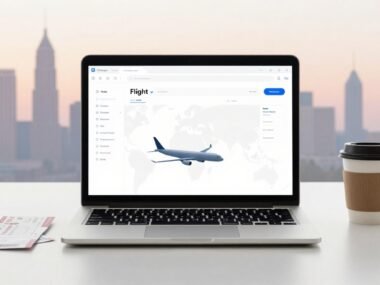
Google Flights is a flight search and comparison tool. It pulls options from many airlines and sellers, then lets you filter and sort so you can spot a deal quickly.
It’s especially useful when you’re planning trips to European destinations because it makes date shopping simple. You can compare round trip versus one-way, scan multiple days at once, and spot cheaper combinations without doing math in your head. You can also compare economy class and business class seats to find the right balance of comfort and cost.
Google Flights doesn’t always sell you the ticket. Many times, it sends you to an airline or a third-party booking site to finish the purchase, so the final price and rules depend on where you book.
One feature worth using is price tracking. You can track routes or specific flights, and later review them on the tracked page: https://www.google.com/travel/flights/saves.
Key Features of flight tickets europe Searches
- Use the Date grid and Price graph to find cheaper days quickly.
- Switch on Flexible dates when your schedule is open.
- Try the Explore map to browse flight deals by region.
- Use “Anywhere” as a destination when you just want the best Europe flight deal.
- Filter for non-stop flights (or allow stops if price matters more than time).
- Turn on price tracking so you get a price alert when fares move.
- Check price insights that indicate whether a fare looks higher or lower than usual for that route.
Step-by-Step: How to Use Google Flights for Europe Deals
- Enter your departure city and your Europe destination (or start broad with a major hub).
- Open the calendar and pick dates, then change trip type if you need a one-way instead of a round trip.
- Use the date selector to compare by trip length, so you can see how prices change across nearby days.
- If you’re not sure where or when you’ll go, use Explore with flexible timing: tap Explore, tap the calendar icon, toggle to Flexible dates, pick a time frame or trip length, then tap Done.
- Set filters like non-stop flights (if you hate connections) or a price cap (if budget is the main rule).
- Look at price insights on the results page to sanity check whether the fare looks reasonable.
- Turn on price tracking for your route or exact dates, then book when the total price and rules fit your needs.
Before you pay
- Baggage rules: especially for basic economy, carry-on vs personal item, and what costs extra.
- Change and cancellation policy: know the fee and the deadline.
- Passport name match: your ticket name must match your passport exactly for the boarding pass.
- Total price breakdown: fare, taxes, bags, seats, and any booking fees.
- Who issues the ticket: airline vs third party, which affects support later.
Pricing, Fees, and What “Cheap” Really Means
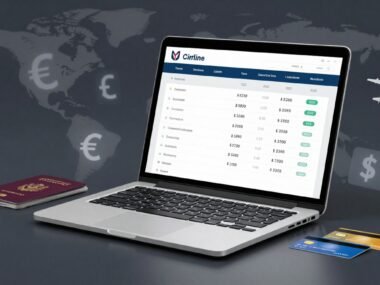
A low headline fare can be real, but it can also be a bare-bones price that grows fast. For flight tickets europe, the total often depends on add-ons like baggage fees for a checked bag, seat selection, priority boarding, and even carry-on rules on some budget airlines.
If you book through online travel agents, you might also run into support fees, change handling fees, or slower help during disruptions. That doesn’t make them “bad,” but it means you should read the fine print before you trust the checkout total.
Change or cancellation costs matter too. A slightly higher fare with easier changes can be cheaper in real life if your plans might shift.
Example (simple math): $520 fare + $70 checked bag + $25 seat + $30 travel insurance + $35 car rental + $40 airport transfer to a farther airport = $720 total.
Pros and Cons
What you’re doingPrice transparencyCustomer serviceRefunds and cancellationsFeesFlexibilityBook direct with major airlinesUsually clear at checkoutAirline handles issuesOften simpler to processFewer added feesOften better for changesBook through an OTACan vary by sellerMay be slower for changesCan add extra stepsPossible booking feesDepends on OTA rulesUse metasearch (Google Flights, Skyscanner, Kayak)Great for comparingNot a support channelDepends where you bookNeutral (comparison only)Great for planning
Common Mistakes (and How to Avoid Them)
- Only checking one site: compare 2 to 3 sources before you commit.
- Ignoring flexible dates: use the grid/graph to spot cheaper days.
- Skipping price alerts: track prices for specific dates or any dates if you’re flexible.
- Buying the cheapest fare without reading bag rules: confirm carry-on and checked bag costs.
- Missing “basic economy” fare limits: some basic economy fares restrict carry-ons or seat picks.
- Booking tight connecting flights: give yourself buffer time, especially on separate tickets.
- Not checking nearby airports: compare alternates, then price the ground transfer.
- Waiting too long for peak dates: holidays and school breaks reward early booking.
Is Booking Through Skyscanner or Kayak Legit and Safe?
Skyscanner and Kayak are mainly search tools. They usually show options, then send you to an airline or online travel agents to book a flight. That setup is common, and it can be safe, but you still need to confirm who you’re paying.
Before you enter card details, check these basics:
- Who the seller is (airline, OTA, or another agency)
- Who issues the ticket and sends the confirmation
- How to contact support if plans change
- Refund and cancellation rules, including deadlines
- Added booking fees or “service” charges at checkout
Booking direct can reduce fee surprises and finger-pointing later, especially if something goes wrong. Still, it doesn’t always mean cheaper, so compare totals, not just the first number you see.
Tips to Get Better Deals
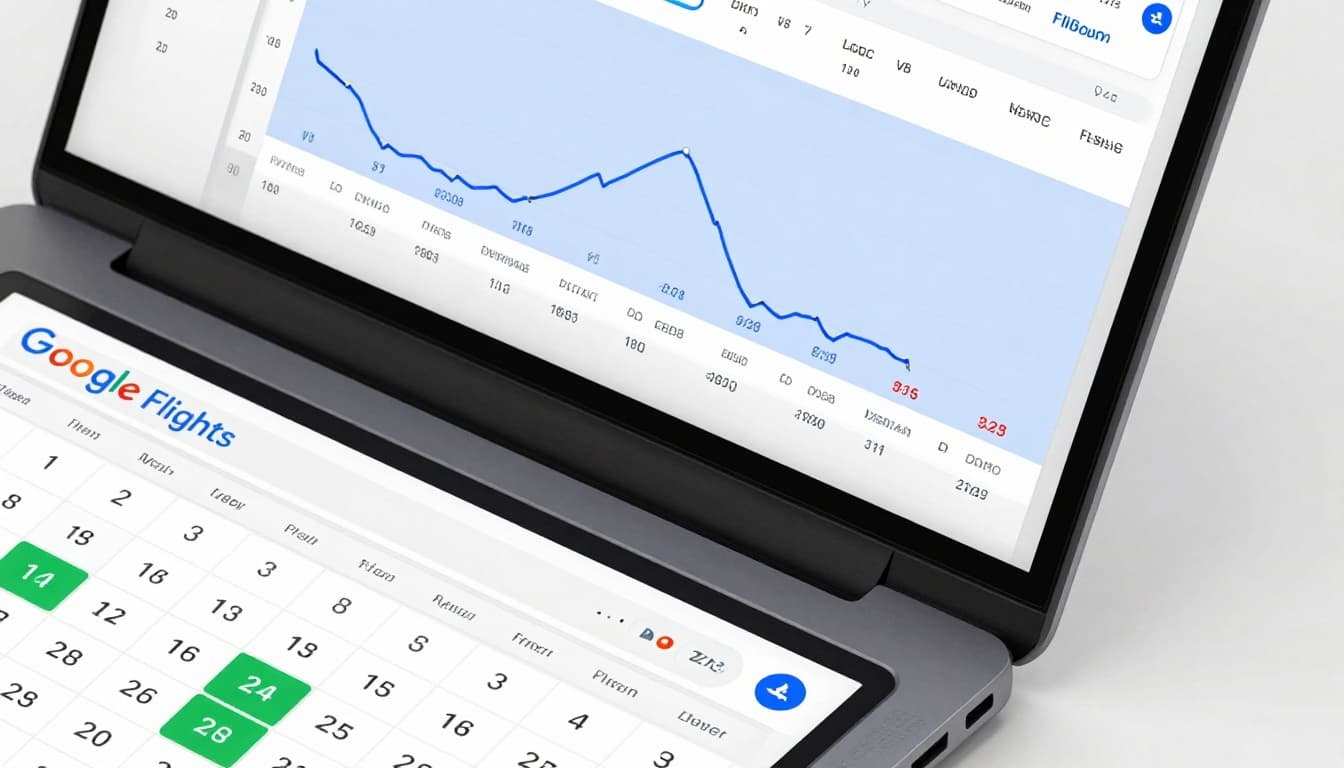
- Start looking early, then buy when the price fits your budget.
- For many trips, aim to book weeks ahead, not days.
- For cheap flights to Europe, try booking a few months ahead when possible.
- Fly Tuesday, Wednesday, or Thursday if you can.
- Use the Date grid and Price graph instead of guessing.
- Use Explore and “Anywhere” when you want flight deals without a set city. Image suggestion: A simple screenshot-style graphic showing a price graph and a date grid with the cheapest days highlighted.
- Check nearby airports for european destinations (both departure and arrival), then compare ground costs.
- Set price tracking alerts and review them later, even if you’re not ready today.
- Compare 2 to 3 sites, then re-check the final total on the seller’s checkout page.
- Consider low-cost carriers inside Europe (like Ryanair or easyJet), but read bag and seat rules.
- Balance direct flights vs one-stop, a stop can be cheaper but costs time and risk.
- When you see a good total price for your dates, book soon and stop chasing perfection.
FAQs
When is the best time to book Europe flights?
Often a few weeks ahead is better than last-minute, and a few months ahead can help when you want cheaper international options.
How do price alerts work on Google Flights?
You turn on tracking for a route or dates, then Google emails you when the price changes.
Can I track prices if my dates are flexible?
Yes. You can track a route even when you’re still deciding on exact dates.
Is it better to book direct or through an OTA?
Direct can be easier for changes, support, and earning reward points. OTAs can be fine too, but compare total price and rules.
What happens if my flight is canceled?
The airline usually handles disruptions like cancellations or a flight delay, but if you booked through a third party, you may need to work through that seller first.
What fees should I watch for?
Bags, seats, carry-on limits, payment fees, and booking or support fees from third-party sellers.
How do budget airlines handle bags and seats?
Many charge extra for larger carry-ons, a checked bag, and seat choice, so your “cheap” fare can grow quickly.
What about inflight entertainment and cabin crew on Europe flights?
Most airlines offer movies, TV shows, games, and Wi-Fi for inflight entertainment, with friendly cabin crew providing service throughout the flight.
Can I find a last-minute flight to Europe?
Sometimes. Use the calendar tools to check close-in dates, but don’t expect the lowest fares.
How do I find the cheapest days in a month?
Use a date grid or price graph to scan a full month, then shift your trip length to compare totals.
Conclusion
The simplest way to buy flight tickets europe is to compare with metasearch tools, use flexible dates, and track prices. Once you spot a fare you like, verify the total cost, baggage rules, and change policy before you book.
If you want to act today, set up 1 to 3 alerts for routes you’d actually take, then re-check weekly. Once you find a fare that fits your budget, book a flight. The goal isn’t to “win” the internet; it’s to pay a fair price and travel with fewer surprises.
External link suggestions
- https://www.google.com/travel/flights
- https://www.google.com/travel/flights/saves
- https://www.skyscanner.com
- https://www.kayak.com/flights
- https://www.iata.org/en/youandiata/travelers/

 Enu
Enu