 Enu
EnuRising airfares hit hard in 2026. Fuel prices and travel demand push costs up 5 to 10 percent. Still, you can score ticket flights for cheap, like Chicago to Las Vegas nonstop for $103 or Dallas to Las Vegas for $58.
This Google Flights guide helps you save hundreds. It covers tools to spot deals fast. You get step-by-step instructions, smart timing tips, and pitfalls to skip.
Expect real examples, fee breakdowns, pros and cons, and answers to top questions. Follow this, and your next trip costs less.
Always confirm prices and policies on the official site.
Quick Answer (Read This First)
- Search flexible dates on Google Flights to find the lowest prices, often midweek.
- Include nearby airports for hidden deals, like O’Hare plus Midway from Chicago.
- Set price alerts for email updates when fares drop.
- Filter for nonstop flights and bags included to avoid surprises.
- Book domestic trips 1 to 3 months ahead, international 2 to 8 months out.
- Use the Explore map for cheap anywhere trips.
- Check price graphs to buy at good times.
- Go direct to airline sites to book and skip middleman fees.
What Is Google Flights and What Does It Do?
Google Flights is a free search tool from Google. It compares prices across hundreds of airlines. You enter cities and dates, then it shows options fast.
It does not sell tickets. Instead, it links to airline sites for booking. This keeps things simple and direct.
Use it at google.com/travel/flights on desktop or phone. No app needed. It pulls live data, so prices stay current.
Key Features of Ticket Flights for Cheap
- Date grid: Highlights green for cheapest days, like Tuesdays.
- Price graph: Shows trends and history to time your buy.
- Explore map: Finds deals to beaches or cities without a set spot.
- Filters: Sort by nonstop, stops, bags, or alliances.
- Multi-city: Plan open-jaw trips, in one city out another.
- Alerts: Track routes for drop notifications.
- AI suggestions: New in 2026, matches your past searches.
Step-by-Step: How to Use Google Flights
- Go to google.com/travel/flights and enter start city, like Chicago.
- Add destination, such as Las Vegas, or pick “Anywhere” for Explore.
- Choose dates or click calendar for flexible grid.
- Toggle nearby airports for more options.
- Hit search and sort by cheapest.
- Filter results: nonstop, 0-1 stops, bags.
- Pick a flight and track prices if not ready.
Before you pay checklist:
- Verify total with bags and seats.
- Check change rules.
- Confirm airline policy icons.
- Compare a few options.
- Use incognito if worried about tracking.
Image suggestion: Screenshot of Google Flights calendar grid with green cheap dates for Chicago to Las Vegas.
Pricing, Fees, and What “Cheap” Really Means
Base fares look low, but add taxes, bags, and seats. A $58 Dallas to Vegas one-way might total $100 with carry-on fees.
Basic economy skips checked bags. Expect $30 to $60 each way extra. Changes cost $99 or more.
| Fare Type | Bags Included | Change Fees | Example Add-Ons |
|---|---|---|---|
| Basic Economy | Carry-on only | $99+ | Bag $60 round-trip |
| Regular Economy | 1 checked | Low/none | Seat $20 |
| Premium | 2 checked | Free | None |
Full cost matters. Always add it up.
Pros and Cons
| Pros | Cons |
|---|---|
| Compares many airlines fast | Redirects to book, no direct buy |
| Free price alerts | Basic fares hide extras |
| Flexible tools spot deals | Mobile less smooth |
| Live data and history | No loyalty points shown |
| Safe airline links | Alerts not instant |
| Map for inspiration |
Common Mistakes (and How to Avoid Them)
- Stick to one airport: Add nearby ones for 20 percent savings.
- Pick fixed dates: Use grid for cheap days.
- Skip filters: Set nonstop or bags to match needs.
- Buy basic without fees check: Review airline page first.
- Forget alerts: Track before committing.
- Search peak times: Go midweek off-season.
- Ignore graph: Buy when low vs. history.
- Group search at once: Test one ticket first.
Is Ticket Flights for Cheap Legit and Safe?
Google Flights is safe and real. It partners with airlines for legit tickets. You book on secure HTTPS sites.
No scams here. Data stays protected. Direct links mean real fares, not fakes.
Check ticket issuer, refund rules, and support before pay. US rules give 24-hour refunds often.
Tips to Get Better Deals
- Book domestic 1-3 months early.
- Go international 2-8 months out.
- Fly midweek, avoid holidays.
- Clear cookies or use incognito.
- Mix airlines for multi-city.
- Sign up for airline emails.
- Filter free bags or changes.
- Watch for sales mid-year.
- Test flexible +/-3 days.
- Combine with hotel searches.
- Start with Explore for surprises.
FAQs
Can I get refunds on cheap tickets?
Depends on fare. Basic often no; regular gives credit. Filter free cancel. Check 24-hour US rule.
What about cancellations?
Fees $0-200 or credits. See policy icons. Handle on airline site.
Baggage rules for budget flights?
Basic: personal item plus carry-on. Checked extra $30-60. Filter included bags.
Prime or membership help?
No, Google Flights is free for all. Airlines have their perks.
Booking direct vs. others?
Direct best for changes. Avoid third-parties.
Customer support?
Airline handles it. Google has help pages.
Fees for seats?
$10-50 extra often. Pick free if basic.
Prices rise if I search often?
Rare. Incognito helps.
Nonstop only?
Filter yes, but check nearby for savings.
Google Flights makes ticket flights for cheap simple in 2026. Use flexible tools, alerts, and timing to beat rising costs.
Start today: pick dates, track, and book smart. Your wallet thanks you. Check live prices now.
You want ticket flights for cheap in 2026 without the hassle. Google Flights delivers with smart tools that spot deals fast. Here’s what works best right now.
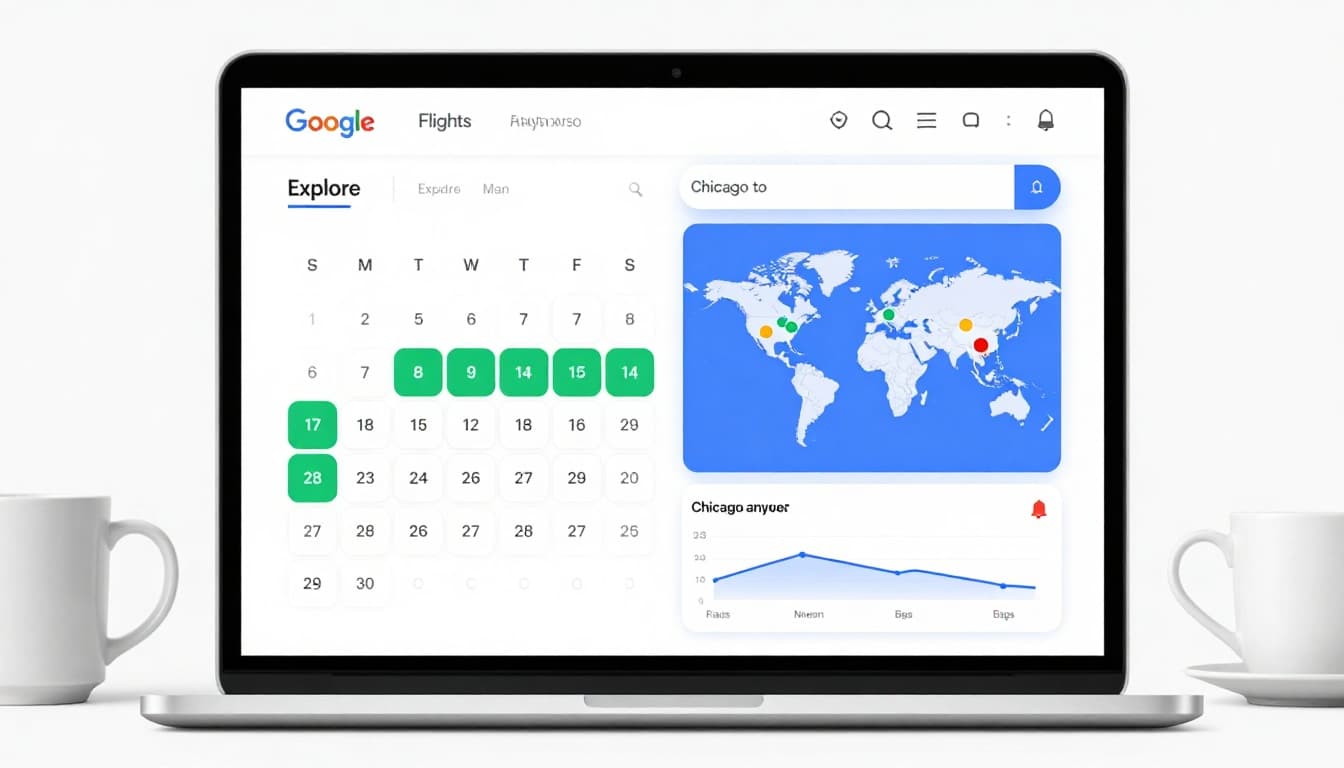
- Flex your dates: Open the calendar grid. Green highlights show the lowest fares, often Tuesdays or Wednesdays, saving $50 to $200.
- Add nearby airports: Include options like O’Hare and Midway from Chicago. This uncovers hidden savings up to 20 percent lower.
- Hit Explore for anywhere trips: Enter your city, leave destination blank, and scan the map for cheap spots like Las Vegas from Dallas at $58.
- Set price alerts: Click the bell after searching. Get emails when fares drop on your route or flexible dates.
- Check price graphs: Spot trends and history to buy low. Green bars mean a good deal versus usual prices.
- Filter smart: Pick nonstop, bags included, or 0-1 stops to match your needs and skip fee shocks.
- Book at peak times: Domestic 1-3 months ahead, international 2-8 months. Midweek flights beat weekends.
- Try AI deals: Describe your trip like “beach getaway nonstop” for instant suggestions pulled from live airline data.
Follow these, and you grab real steals like Chicago to Los Angeles for $146. For more details, see the full Google Flights guide.
These steps take minutes and pay off big. Jump in today.
What Is Google Flights and What Does It Do?
Google Flights stands out as a free flight search engine built by Google. It scans prices from hundreds of airlines and booking sites in real time. You type in your starting city, destination, and dates, and it pulls up sorted options with the lowest fares first. This setup helps you spot ticket flights for cheap without endless tabs or biased results.
Think of it as your personal deal scout. It does not handle bookings itself. You click through to the airline or site to complete the purchase. This direct path cuts out middlemen and their fees. Access it anytime at google.com/travel/flights on any device. Prices refresh live, so you see current deals like Chicago to Las Vegas nonstop from $103.
Core Functions That Save You Money
Google Flights packs tools to fit any trip. Start with the date grid and price graph. These show cheap days in green, often midweek, and past trends to time your buy right. For example, book domestic flights weeks ahead or international months out to match low points.
Flexible plans shine here. Pick “Explore” for a map of bargain spots worldwide. Leave the destination blank, and dots pop up for places like Dallas to Los Angeles at $99. Add nearby airports, and savings jump.
Smart Tracking and Alerts
Not ready to book? Turn on price tracking during your search. Get email alerts for drops on exact routes or flexible dates. Check your tracked flights page anytime. New in 2026, AI-powered suggestions let you describe trips like “beach getaway with one stop,” and it finds matches fast. See details in Google’s AI flight deals overview.
Filters refine everything: nonstop only, bags included, or under a price cap. Multi-city searches build complex routes in one go. Price insights flag if a fare beats history, so you buy confident. For a full walkthrough, check this NerdWallet guide.
These features turn random searches into targeted wins. You control the hunt for those ticket flights for cheap.
Key Features of Google Flights
Google Flights packs powerful tools that make finding ticket flights for cheap straightforward. You get visuals, alerts, and smart filters to cut through noise and grab real savings. These stand out because they pull live data from airlines, show trends, and even use AI to match your style.
Date Grid and Price Graph
Spot the best days at a glance. The date grid lights up green for lowest fares, like Tuesdays from Chicago to Las Vegas. Toggle flexible dates, pick trip length, and watch prices shift.
The price graph sits below. It plots history and trends so you know if $103 beats usual rates. Book when green bars hit low; skip peaks. This combo saves you guessing and often drops costs 20 percent.
Explore Map for Anywhere Trips
No destination? No problem. Tap Explore, enter your city, and leave the end blank. A map pops with dots for cheap spots worldwide, such as Dallas to Los Angeles nonstop at $99.
Filter by nonstop or price caps. Flexible dates blank out for full freedom. Perfect for weekend getaways or budget adventures; you see options like beaches or cities fast.
Price Tracking and Alerts
Track without commitment. Search a route, hit the bell, and get emails on drops. Works for exact dates or flexible plans. Visit your tracked flights page to monitor all at once.
Set multiple routes easy. Never miss a deal; notifications keep you ahead. For specifics, see Google’s AI flight deals overview.
Advanced Filters and Multi-City
Narrow results your way. Sort by nonstop, 0-1 stops, bags included, or alliances. Pick under a price or skip basic economy. Multi-city builds open-jaw trips: fly into London, out from Paris.
These cut junk fast. You focus on fits like free changes or carry-ons. New filters exclude low-amenity fares for comfort.
AI-Powered Suggestions and Insights
New in 2026, describe your trip like “nonstop beach week” in the AI bar. It scans airlines for matches, pulling deals you miss. Price insights flag low versus normal, with history graphs.
Canvas plans full trips: flights, hotels, eats. All from real-time data. This turns vague ideas into booked wins quick.
Step-by-Step: How to Use Google Flights
You can snag ticket flights for cheap with Google Flights in minutes. This tool shines for quick searches, flexible plans, and smart alerts. Start on your phone or laptop at google.com/travel/flights. Follow these steps to build perfect itineraries, like Zurich to New York with green-highlighted low fares.
Enter Your Trip Basics
Keep it simple at first. Type your starting city or airport, such as Zurich (ZRH). Add a destination like New York (JFK), or select Anywhere for surprise deals. Pick one-way, round-trip, or multi-city right away.
Leave dates blank for max flexibility. Hit the calendar icon next. You see options pop up fast.
Unlock Flexible Dates and the Date Grid
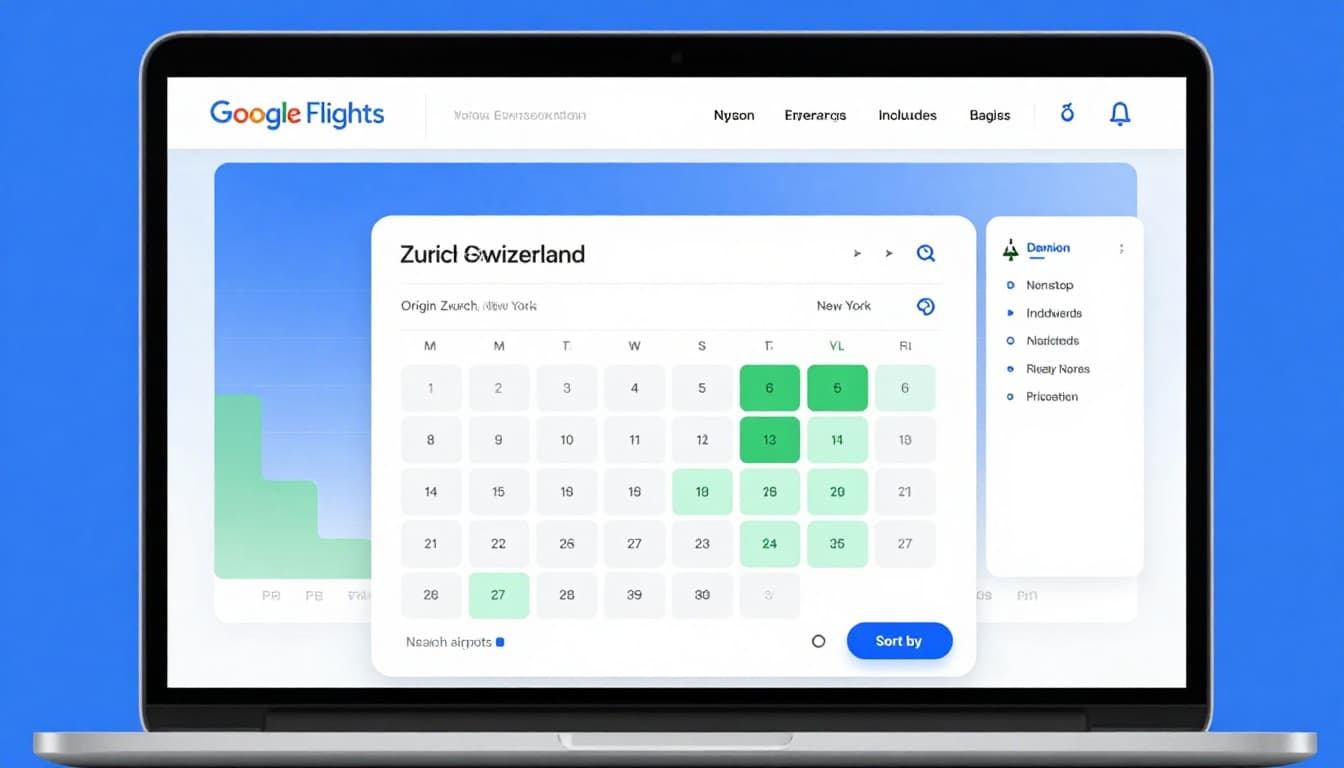
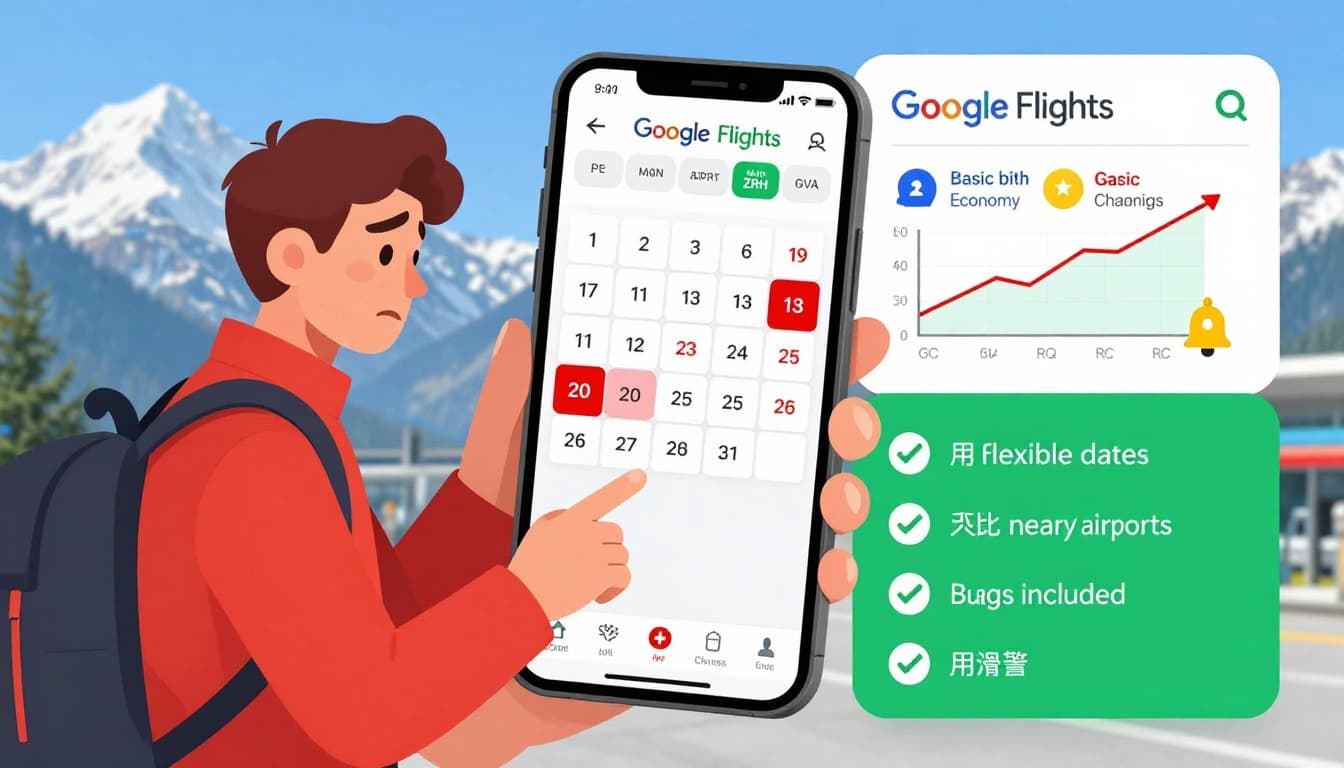
Click the date picker to open the date grid. Green squares mark the cheapest days, often midweek. Toggle Flexible dates and set a trip length, say one week. Prices update live, so shift by a day to save $50 or more.
Want visuals? Check the price graph below. It shows trends and history. Green bars mean buy now; red signals wait. Test +/-3 days for quick wins.
Explore Maps for Hidden Gems
No set spot in mind? Tap Explore up top. Enter Zurich, leave the end blank, and a map loads with dots for low fares worldwide. Filter nonstop or under 200 CHF to spot steals.
Zoom in on Europe or beyond. Trip options appear with prices highlighted. Tap one to drill down.
Filter and Sort Results
After search, sort by Price for the lowest first. Use left-side filters:
- Stops: 0 for nonstop, 1 for quick connections.
- Bags: Included checked to skip fees.
- Airlines: Alliances like Star Alliance.
- Price cap: Under 300 CHF round-trip.
Nearby airports toggle adds options like Geneva with Zurich. This often cuts costs 15 percent.
Set Price Alerts and Track
Found a good one but not ready? Click the bell icon. Alerts email you on drops for those dates or flexible windows. Manage all on your tracked flights page.
For pro tips, watch this step-by-step video guide.
Review and Book Smart
Tap a flight for details: times, layovers, total cost. Check policy icons for changes and bags. Click through to the airline site to pay. Always add extras there.
Quick pre-book checklist:
- Total with bags and seats.
- Change fees under 100 CHF.
- Refund options if needed.
- Incognito mode for fresh prices.
These steps work every time. Practice once, and you’ll hunt ticket flights for cheap like a pro.
Pricing, Fees, and What “Cheap” Really Means
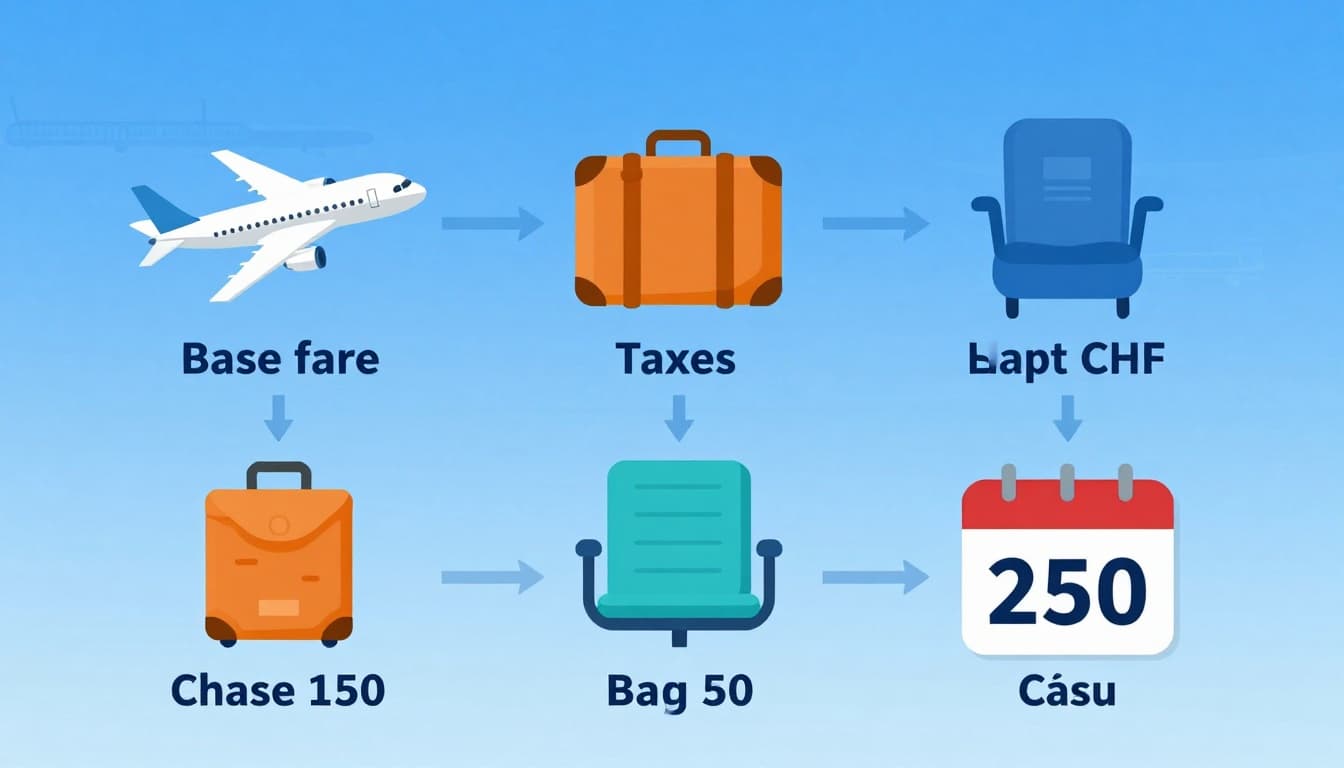
You spot a ticket flight for cheap at 400 CHF from Zurich to Paris on Google Flights. That base fare tempts you. But the real price hides extras like bags, seats, and changes. Add them up, and it jumps to 550 CHF or more. Google shows totals upfront, yet airlines set the rules. Always check the final breakdown on their site to avoid shocks.
Price insights on Google Flights flag if a fare beats history. Green means grab it; red warns it’s high. Basic economy keeps bases low by skipping perks. Track routes to catch drops before you commit.
Common Cost Components
Flights stack fees beyond the base. Taxes hit 20 to 50 CHF. Bags add the most pain. Here’s what adds up fast:
- Base fare: 400 to 800 CHF one-way in economy for Europe from Switzerland; 500 to 900 CHF to New York.
- Taxes and surcharges: 30 to 100 CHF, mandatory on all tickets.
- Checked bags: 20 to 60 CHF per bag each way on budget carriers; 60 to 100 CHF on long-haul like SWISS.
- Carry-on: Free on many, but 10 to 30 CHF in basic economy.
- Seat selection: 5 to 40 CHF to pick your spot; random otherwise.
- Changes: 50 to 200 CHF, or full fare on basics.
Filter for “bags included” on Google to spot true deals.
Fare Types Side by Side
Pick your level based on needs. Basic saves upfront but costs later. Here’s a quick compare for 2026 economy from Zurich:
| Fare Type | Base Example (Zurich-Paris) | Bags Included | Change Fees | Best For |
|---|---|---|---|---|
| Basic Economy | 400-500 CHF | Carry-on only | 99-200 CHF | Solo light packers |
| Regular Economy | 500-650 CHF | 1 checked | 0-100 CHF | Families with luggage |
| Premium Economy | 800+ CHF | 2 checked | Free | Comfort seekers |
Data pulls from airlines like easyJet and SWISS; see Swiss baggage details for updates.
Real-World Examples from Switzerland
Take Zurich to New York one-way. Base at 550 CHF looks cheap. Add 70 CHF bag, 25 CHF seat, 40 CHF tax: total 685 CHF. To London? 450 CHF base plus 30 CHF bag hits 520 CHF.
Zurich to Paris basic: 450 CHF base, no bag means 50 CHF extra if needed, totaling 530 CHF. Use Google’s price graph to confirm it’s low versus usual 600 CHF.
Ways to Cut Fees and Get True Savings
Control extras to keep costs down:
- Pack light for carry-on only.
- Skip seats; take assigned.
- Book regular economy for one bag free.
- Filter “bags included” or “free changes.”
- Fly budget carriers like easyJet for Europe.
- Track prices; buy when green on the graph.
These moves turn apparent ticket flights for cheap into real wallet wins. Check totals every time.
Pros and Cons
Google Flights excels at surfacing ticket flights for cheap, but it has limits too. You get powerful tools to compare fares and track drops. Still, some steps add friction. Here’s a balanced look based on real user experiences and features in 2026, tailored for trips from Switzerland like Zurich to Europe.
Top Pros
These strengths make it a go-to for savvy travelers chasing deals.
- Fast comparisons across airlines: Scans hundreds of carriers in seconds, pulling live prices for routes like Zurich to London at low fares. No need to check sites one by one.
- Flexible date tools shine: Date grid and price graph highlight cheap days in green, often midweek, with history to confirm good buys. Saves 20 percent or more on flexible plans.
- Price alerts keep you ahead: Set emails for drops on exact or flexible dates. Check your tracked list anytime; never miss Zurich to Paris under 200 CHF.
- Explore map sparks ideas: Enter Zurich, pick anywhere, and see dots for bargains worldwide. Filter nonstop or eco options for quick wins.
- Smart filters and insights: Sort by bags included, stops, or low CO2. Flags tell if a fare beats usual prices, building confidence.
- Multi-city and nearby airports: Builds complex trips and adds Geneva with Zurich for extra savings, up to 15 percent lower.
Users praise these for turning vague searches into booked steals. For a deep dive, see this Thrifty Traveler guide on Google Flights.
Key Cons
Not perfect. Watch for these gaps, especially on budget routes from Switzerland.
- No direct booking: Links to airline sites, so you handle extras there. Adds a step and potential fee surprises.
- No mobile app: Browser only means clunky alerts via email, no push notices. Fine for desktop, less so on the go.
- Misses some budget carriers: Skips ultra-low-cost or rare deals not in main feeds. Check Skyscanner for Zurich extras.
- Basic economy hides costs: Low base fares tempt, but bags or changes add up fast. Always verify totals.
- Overwhelms beginners: Tons of options without loyalty points shown upfront. Filters help, but start simple.
| Pros | Cons |
|---|---|
| Compares airlines instantly | No one-click booking |
| Date grid spots cheap days | Browser-only, no app |
| Free alerts on price drops | Misses niche low-cost carriers |
| Explore map for inspiration | Extras like bags not always clear |
| Filters for bags/nonstop | Too many choices for new users |
Weigh these for your needs. Pros dominate for deal hunters; cons matter less if you plan ahead.
Common Mistakes (and How to Avoid Them)
You spot a low fare on Google Flights and book fast. But small oversights turn ticket flights for cheap into wallet regrets. Travelers from Zurich often pick weekends or skip tools, costing 20 to 50 percent more. Spot these traps and flip them for real wins.
Locking in Fixed Dates Too Soon
People enter exact dates without checking the calendar. Weekends spike prices, like Zurich to Paris jumping from 200 CHF midweek to 350 CHF Friday.
Fix it: Open the date grid first. Green squares show cheap days. Shift by two days and save 30 percent. Test flexible windows of one week.
Ignoring Nearby Airports
You stick to Zurich (ZRH) and miss Geneva (GVA), 30 minutes away. That cuts options and adds 50 to 100 CHF.
Fix it: Toggle “Nearby airports.” It pulls deals from both, often nonstop at lower rates. Always compare totals.
Skipping Price Graphs and Insights
A base fare looks good, but you ignore the graph. Red bars mean it’s high versus history, like usual 450 CHF shown at 500 CHF.
Fix it: Scan the price graph below results. Green flags confirm a bargain. Insights tell if it’s lower than normal; book then.
Buying Basic Economy Without Fee Checks
Low base tempts, but no bags mean 60 CHF extra each way. Changes hit 100 CHF or more.
Fix it: Filter for “Bags included.” Review airline details before clicking through. Add one checked bag upfront for regular economy.
Forgetting Price Alerts
You search once and hope prices drop. Deals vanish fast without tracking.
Fix it: Hit the bell after any search. Get emails for drops on routes or flexible dates. Manage your list at the tracked flights page.
Overlooking Explore for Flexible Trips
Fixed spots limit you. Zurich to one city misses map dots for cheaper spots like London at 250 CHF.
Fix it: Tap Explore, enter Zurich, leave destination blank. Filter nonstop or under 300 CHF. Pick from highlighted options.
Booking Last Minute Without Advance Planning
Last-minute grabs premium prices. Domestic needs weeks ahead; international months.
Fix it: Aim for 1-3 months domestic, 2-8 international from Switzerland. Use graphs to time buys right. For more errors to dodge, check this Points Guy list of flight booking pitfalls.
These swaps take seconds but stack savings. Practice on your next Zurich search, and ticket flights for cheap become routine.
Is Google Flights Legit and Safe?
You hunt ticket flights for cheap on Google Flights and spot a steal from Zurich to Paris. But doubts creep in: is this site real? Can you trust it with your money? Rest easy. Google Flights runs legit and safe. Google owns it, and it pulls data straight from airlines. No fake deals or hidden traps show up in 2026 reports from Switzerland or elsewhere.
It never sells tickets itself. You always click to the airline’s secure site to book. This setup cuts scam risks since your payment goes direct. HTTPS locks protect data, and EASA rules cover flights in Switzerland. Users report zero major issues; experts call it reliable for comparisons.

Proof of Legitimacy
Google Flights partners with top carriers like SWISS and easyJet. Prices match what airlines list. Track records show no fraud flags in recent checks. For a full breakdown, see NerdWallet’s Google Flights overview.
It flags real-time insights, like if a fare beats history. Price alerts email you safely without storing card info. Swiss travelers use it daily for routes like Zurich to London without hitches.
Built-In Safety Features
Green padlocks and direct links guard every step. Book with a credit card for easy chargebacks if needed. Policy icons show change rules upfront. No pop-ups or shady redirects.
Switzerland follows strict EU data laws. Google complies, keeping your searches private. Avoid third-party sites; stick to links shown.
Quick Checks Before You Book
Confirm a few things to stay extra safe:
- Issuer: Always an airline or known partner.
- Refund policy: US 24-hour rule applies; EU gives similar protections.
- Total cost: Add bags and seats on the airline page.
- Reviews: Scan airline feedback, not the search tool.
One user tip: clear cookies for fresh prices. If a deal looks off, walk away. Google Flights earns trust through transparency, so you grab ticket flights for cheap worry-free.
Tips to Get Better Deals
You hunt ticket flights for cheap on Google Flights from Zurich or Geneva. Solid start. These strategies push savings further, often 20 to 30 percent lower. Pull from real-time trends and tools to time buys right. Travelers score Zurich to Paris under 200 CHF midweek this way.
Time Your Bookings Smart
Book domestic flights 1 to 3 months ahead. International needs 2 to 8 months for lowest rates from Switzerland. Midweek departures like Tuesdays or Wednesdays beat weekends by 50 CHF or more.
Check the price graph first. Green bars show dips versus history. Avoid holidays; aim off-peak like January or September 2026.
Flex Dates for Big Wins
Fixed plans cost extra. Open the date grid and scan green highlights. Shift a trip by two days, and Zurich to London drops from 350 CHF to 250 CHF.
Leave dates blank for full flexibility. Pick trip lengths from weekends to two weeks. Prices update live so you spot patterns fast.
Hunt with the Explore Map
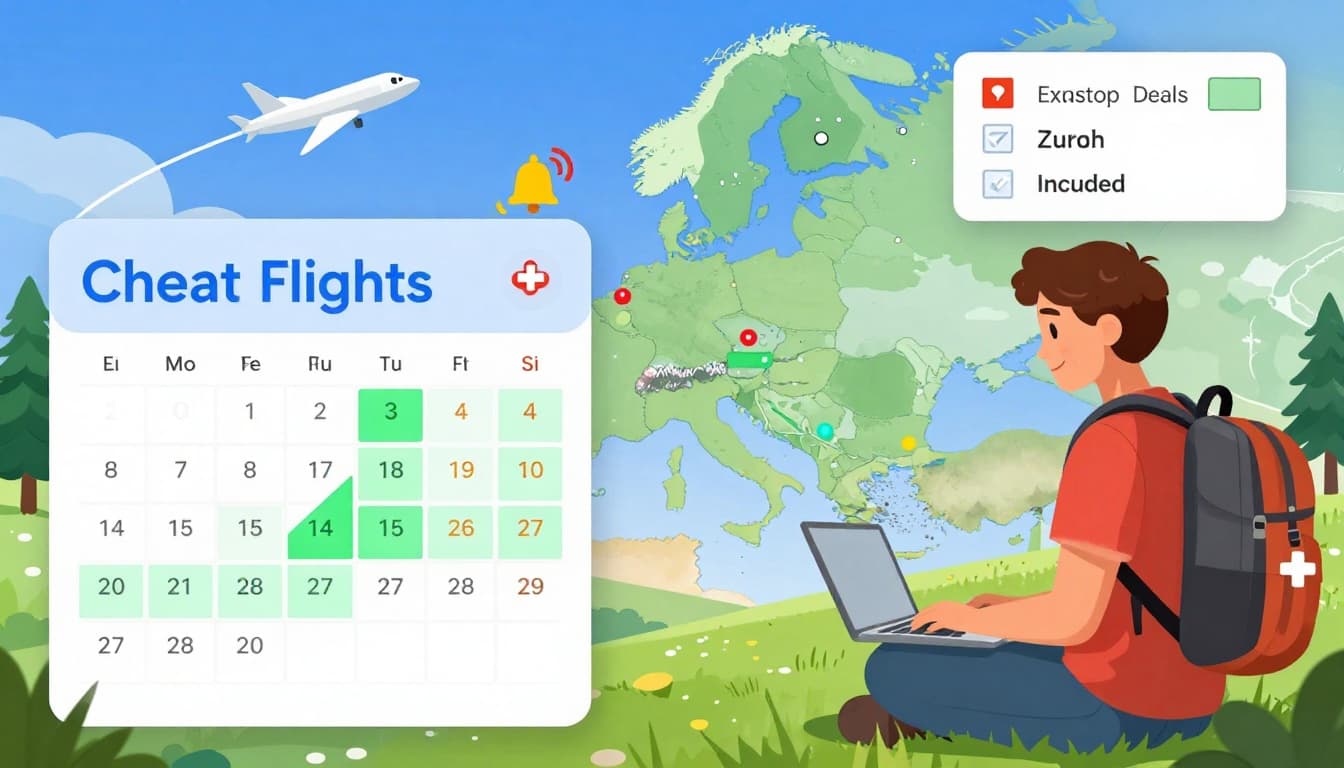
No destination locked? Tap Explore. Enter Zurich, skip the end spot, and maps light up cheap dots across Europe. Filter nonstop or under 300 CHF to grab Geneva alternatives too.
This uncovers surprises like Zurich to Barcelona beaches for 180 CHF. Zoom regions for quick picks.
Track Prices Without Stress
Search a route, hit the bell. Emails alert you to drops on exact dates or flexible windows. Manage lists on your tracked flights page.
Set alerts for multiple paths. One user caught a 100 CHF Zurich to New York dip this way. For full steps, see Thrifty Traveler’s Google Flights guide.
Filter for Your Needs
Skip junk results. Set nonstop only, bags included, or 0-1 stops. Exclude basic economy if you pack heavy; it saves 60 CHF in fees.
Add airline alliances like Star for smooth connections. Cap prices at 400 CHF to focus real deals.
Stack Pro Moves
Toggle nearby airports like Basel with Zurich. Builds options and cuts costs 15 percent.
Try multi-city: in via Zurich, out from Geneva. Use incognito mode for fresh prices. Clear cookies weekly.
Test AI suggestions. Type “beach week nonstop from Zurich,” and it pulls matches. Now live in Switzerland; details at TravelNews on Google Flights AI.
Combine with hotel searches for bundle savings. Watch mid-year sales too. These stack to turn good fares into steals.
FAQs
Got questions about snagging ticket flights for cheap with Google Flights? We’ve got answers based on real tools and tips. These cover last-minute hunts, timing, and more. Quick facts pull from live data, so check your route for the latest.
Can You Find Last-Minute Ticket Flights for Cheap?
Yes, Google Flights handles last-minute searches well. Enter your departure city like Zurich and destination such as Paris. Open the calendar to spot available low fares right away. Green highlights show the best options fast. Still, prices run higher close to departure. Book ahead for bigger savings; alerts catch sudden drops. Users grab deals this way, but expect 20 to 50 percent more than planned trips. Toggle flexible dates for nearby cheap spots.
How Far in Advance Should You Book Cheap Flights?
Plan domestic flights from Switzerland 2 to 3 months early for lowest rates, like Zurich to Geneva. International trips need 2 to 6 months ahead, such as to New York. Use Google Flights price graphs and insights to confirm trends. Green bars signal good buy times versus history. Book too late, and costs climb. Midweek dates help too. This timing beats peaks and locks in ticket flights for cheap before demand spikes.
Does Google Flights Work for International Ticket Flights for Cheap?
Yes, it excels for international routes. Set your departure like Zurich, pick a spot such as London, or choose “Anywhere” for global map deals. Flexible dates blank out for full scans. Filters catch nonstop or low-price options under 400 CHF. Price insights flag bargains versus usual fares. Track routes for drops. From Switzerland, it pulls live data from carriers like SWISS. Perfect for Europe hops or long-haul steals.
What About Baggage and Extra Fees?
Always review airline details on the booking page. Google Flights filters show bags included upfront, like one checked free in regular economy. Basic skips them, adding 20 to 60 CHF each way on budget lines. Carry-ons cost 10 to 30 CHF sometimes. Icons warn of rules. Add seats for 5 to 40 CHF. Total costs display clear. Check filters for true ticket flights for cheap without shocks; verify on the airline site.
How Do Cancellations and Refunds Work?
It depends on the airline policy, shown via icons on Google Flights. Basic economy often blocks changes or gives credits only. Regular fares allow swaps for 0 to 100 CHF. US 24-hour refunds apply; EU rules protect too. Contact the airline direct after booking. Google links you there. Filter free-cancel options first. For details, see Google’s change guide. Pick flexible tickets to swap if prices drop.
Google Flights vs Other Sites?
Google Flights complements sites like Skyscanner or Expedia. It shines on fast comparisons, date grids, and alerts; they add bundles or apps. Use Google for pure fares, then cross-check. No direct booking on Google keeps it neutral. For a full compare, read Google Flights vs Skyscanner. Stack them for ticket flights for cheap; Google’s maps and graphs often spot uniques first.
How to Get Flight Alerts?
Turn on tracking right after search. Hit the bell icon for emails on drops, exact dates or flexible. Needs a Google account. Manage all at your tracked flights page. Set multiple routes easy. Alerts flag rises too. From Zurich, track to Paris and catch 50 CHF dips. Pro move: book changeable, rebook cheaper. Never miss deals this way.
Conclusion
Google Flights unlocks ticket flights for cheap through simple tools like the date grid, price graph, and Explore map. Flex your dates to spot green low-fare days midweek. Set alerts to catch drops on routes or flexible plans. Filter for nonstop options with bags included, and book domestic trips weeks ahead or international months out. These steps turn rising 2026 costs into real savings, like $58 Dallas to Las Vegas deals.
Grab your next bargain today. Head to Google Flights, enter your city, and track prices now. Your wallet wins big.


 Enu
Enu