 Enu
EnuCanadian visa services can feel messy to search for, compare, and trust. People type “canadian visa services near me” into Google, scan a few results, then bounce as soon as they see confusing fees or outdated policy info.
You can turn that chaos into a clear, structured experience that makes visitors feel safe, informed, and ready to book a consultation.
This guide shows you how to design a high‑performing set of local pages for canadian visa services, city by city, using a repeatable template: intro, services, contact, client reviews, and map, all wrapped in LocalBusiness schema and conversion‑focused content.
How Canadian Visa Services Work In 2025 (And Why Your Pages Need To Reflect It)
Canada tightened visitor visa rules again in 2025. Every serious service provider has to reflect that on their site or they lose trust.
Key points you need to address in your content:
- Online applications are the norm, not the exception
- Biometrics are mandatory for most applicants
- Officers look closely at ties to home, finances, and travel history
- Many applicants must show a 10‑year travel history
- Typical proof of funds runs around CAD 2,500 per month of stay, or strong travel insurance cover for shorter trips
When you talk about your canadian visa services, build copy around how you:
- Help clients understand if they need a visa or an eTA
- Guide them through online IRCC accounts and document uploads
- Prepare them for biometrics, medical exams, and interviews, when needed
- Reduce refusal risk with clean forms and clear supporting proof
Any time you mention rules, link out to an official reference so readers can verify for themselves. For example, you can point them to the Government of Canada’s main “Visit Canada” page: Visit Canada official information.
That single external link signals that you respect the rules and that your business stays current.
The Core Template For Local Canadian Visa Services Pages
You want a structure you can roll out to every market: Toronto, Vancouver, Nairobi, Lagos, Dubai, or wherever you serve clients.
Each local page should follow the same skeleton:
- Intro: Who you help in that city and what problems you solve
- Services: Clear, scannable list of visa categories, with short descriptions
- Contact: Toll‑free number, WhatsApp, booking form, and office hours
- Client reviews: Real voices from that city or region
- Map: Embedded location plus neighborhood cues
Under the hood, you support that layout with:
- LocalBusiness schema (plus ContactPoint)
- City‑specific headings like “Canadian visa services Toronto” or “Canadian visa agents in Kenya”
- Short, direct text so people can skim on mobile
Next, you can see how this looks in practice for two high‑value locations.
Your “canadian visa services Toronto” page should read like a local landing page, not a generic brochure.
Toronto Intro: Speak To Local Intent
Open with a short, sharp promise:
Looking for trusted canadian visa services in Toronto? Get step‑by‑step help for visitor, study, work, and permanent residence applications, guided by licensed professionals who know IRCC rules and local timelines.
Follow with 2 tighter paragraphs:
- Mention key Toronto use‑cases, like family visits, tech jobs, study at GTA colleges, and conference travel.
- Show that you understand wait times and biometrics center access in the region.
Toronto Services: Clear Menu, Not Legal Jargon
Structure your offers in simple language:
- Visitor visas (TRV): Short‑term trips for tourism, business meetings, or family visits
- Study permits: For colleges and universities in Toronto and the GTA
- Work permits: Closed, open, intra‑company transfers, and LMIA‑supported roles
- Permanent residence pathways: Express Entry, provincial programs, and family sponsorship
- Visa extensions and restoration: For people already in Canada who need more time
Sprinkle your primary phrase in context: for example, “Our canadian visa services help Toronto residents avoid common refusal reasons and submit clean, complete files.”
Toronto Contact: Toll‑Free, Fast, And Marked Up
Put a “customer service toll free number” in the header and footer of this page, not just on a sitewide contact page. Say it clearly:
- Toll‑free (Canada & US): 1‑888‑XXX‑XXXX
- Local Toronto line: 416‑XXX‑XXXX
- WhatsApp: +1‑XXX‑XXX‑XXXX
- Hours: Monday to Saturday, 9:00 am to 7:00 pm (ET)
Toronto Client Reviews: Local Proof
You do not need dozens of reviews. Five strong, verified reviews from Toronto clients can do more than fifty vague ones.
Focus on:
- Outcomes: approvals, faster responses, fewer document issues
- Support: clear calls, helpful checklists, friendly staff
- Local detail: “biometrics at the Toronto center”, “PR from Scarborough”
Short pull‑quotes work well in cards with first name and visa type.
Toronto Map: Make “Near Me” Actually Feel Near
Finally, add:
- A Google Maps embed of your Toronto office
- A short paragraph that names nearby landmarks and transit lines
For example: “Our office is a 3‑minute walk from King Station and 10 minutes from Union Station.” That single line helps both people and search engines read your canadian visa services as truly local.
Template Example: Canadian Visa Services Vancouver Page
Your “canadian visa services Vancouver” page uses the same blueprint, but feels west‑coast and local.
Vancouver Intro
Open with intent:
Need help with Canadian visas in Vancouver? Get one‑on‑one guidance for study, work, and visitor visas, tailored to applicants across Metro Vancouver and the Pacific region.
Mention:
- Students at UBC, SFU, and private colleges
- Tech and film workers
- Visitors connecting through YVR
Vancouver Services
Use similar buckets with local flavor:
- Tourist and family visitor visas for clients flying in through Vancouver International Airport
- Study permits for Metro Vancouver schools and language programs
- Work permits for film, hospitality, and tech applicants
- Permanent residence through Express Entry and BC PNP
Weave the phrase again in a natural way: “Our canadian visa services support Vancouver clients across English, Mandarin, Punjabi, and more, so nothing gets lost in translation.”
Vancouver Contact, Reviews, And Map
This block mirrors Toronto:
- Local phone number and shared toll‑free number
- Simple booking form with preferred language and visa type
- Reviews where people mention “Vancouver office”, “downtown Vancouver”, or “Metrotown location”
- Map embed with nearby SkyTrain stations or well‑known streets
Once you have these two in place, you can clone the template for other cities, such as “canadian visa agents in Kenya” with Nairobi office details. Swap city names, adjust services, and keep the same conversion blocks.
Brand Clarification: Stand Out From Lookalikes And Photo Searches
In many markets, people confuse visa brands. Terms like “canborder canadian immigration services” or “canadian visa services photos” can send the wrong traffic to your pages.
You handle this on two fronts.
- Brand clarification section on your homepage
Add a short section that:- States your full legal name and registration details
- Clarifies that you are not related to any similar‑sounding brands
- Explains how to spot your official logo, domains, and phone numbers
- Negative keywords in ads
In Google Ads, add confusing brand names and “photos”‑style queries as negative keywords. That keeps your budget focused on high‑intent phrases like “canadian visa services near me”, “canada visa services Toronto”, and “Canada work permit consultant Vancouver”.
This protects your reputation and sharpens your traffic.
Turn “How Do I Get A Visa For Canada?” Into A Conversion Engine
“How to get a visa for Canada” and “do you have to pay for a Canadian visa” are not just questions. They are the start of a sales funnel.
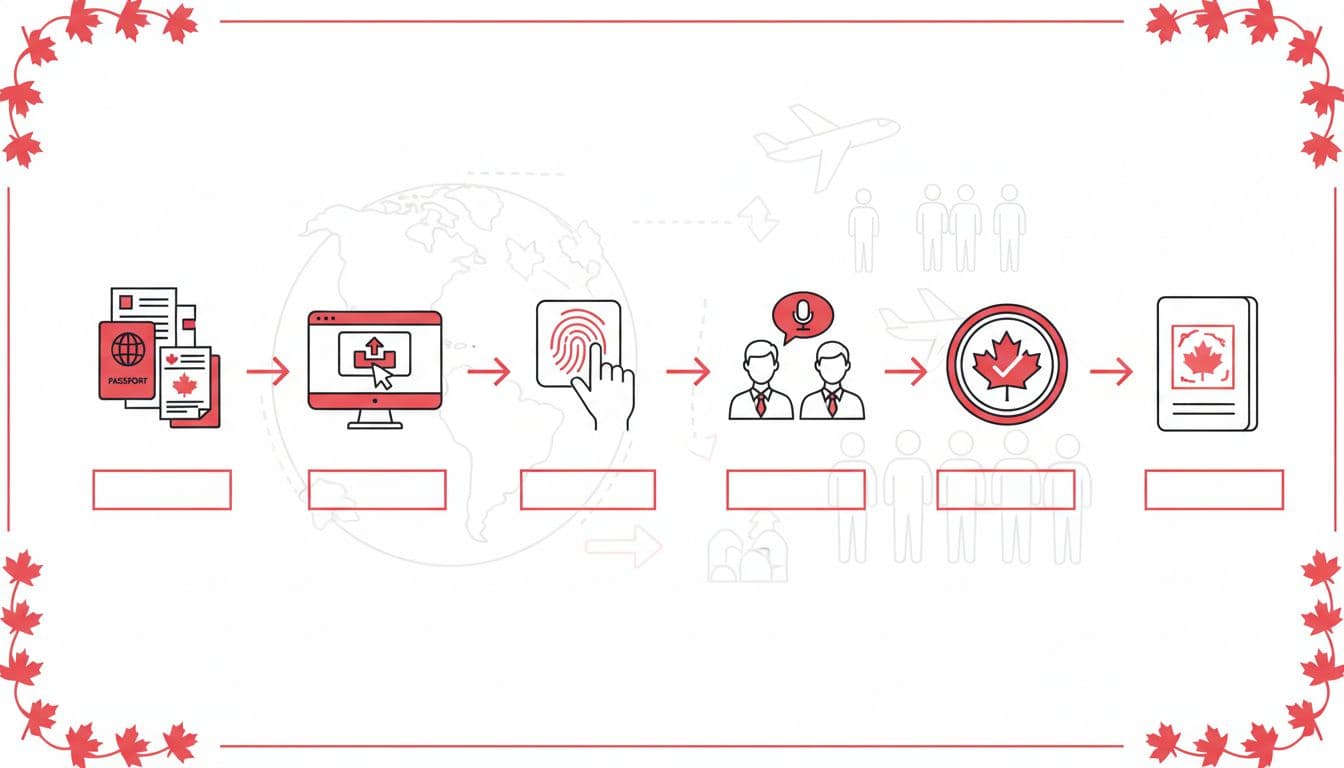
On every city page, add a section called “How our canadian visa services guide you step by step”. Keep it clear:
- Assessment call (or form)
Short form or 15‑minute call to understand country of citizenship, purpose, and timeline. - Document checklist
Give each client a simple list. For a visitor visa, that often includes:- Passport and old passports
- Recent bank statements
- Employment letter or business proof
- Travel plan and invitation letter, if any
- Previous visas and refusal letters
- Online application filing
Your team:- Creates or reviews the IRCC online account
- Fills the forms
- Uploads documents in the right format
- Biometrics and medical support
You book VFS or VAC slots where needed and brief the client. - Follow‑up and updates
You track status and respond to IRCC requests for more proof.
To handle “do you have to pay for a Canadian visa”, include a small fee table, then invite people to confirm latest amounts:
| Item | Typical Government Fee (CAD) |
|---|---|
| Visitor visa (per person) | 100 |
| Biometrics (per person) | 85 |
| Family biometrics (up to 5) | 170 |
Explain that your professional fees are separate, and that amounts change, so you always check the official IRCC site before filing.
At the end of this section, add a clear button: “Book your visa planning call”. This is where your canadian visa services convert high‑intent readers into real clients.
Stay Current On Seasonal Spikes And Policy Shifts
Visa interest surges when Canada updates rules, opens new programs, or changes medical exam policies. If your content stays static, you lose authority.
You can keep each local page fresh by:
- Setting alerts for “Canada visa policy” and “IRCC visitor visa update”
- Reviewing your core “how we help” section within 48 hours of big news
- Adding a short “Last updated” line near the top of your how‑to guide
For example, when biometrics rules expand or financial proof guidance changes, adjust your copy and link to the relevant section of the official visitor visa instructions at How to apply for a visitor visa.
Tie your updates back to your service:
- Mention that your team reviews new policies
- Explain that checklists change
- Show that you keep people away from outdated advice and myths
This is where canadian visa services with strong content stand apart from old, dusty “about us” pages.
Final Checks: SEO, UX, And Trust For Every City Page
Before you publish each city page, run through a simple checklist:
- The title includes the city and canadian visa services
- The URL slug uses “canadian‑visa‑services‑city”
- The meta description uses the phrase once and promises a real benefit
- The toll‑free customer service number appears in header, footer, and schema
- You include one external link to an official Canadian government resource
- The page has intro, services, contact, reviews, and map sections
- LocalBusiness schema is valid for that office location
When you treat each local page as a complete, self‑contained offer, your canadian visa services look organized, transparent, and human.
In a crowded market, that clarity is your edge. You help people move from stress and guesswork to a clear path forward, and that is what turns visitors into loyal, long‑term clients.


 Enu
Enu